SunFounder TS-10 10.1-inch Touch Screen
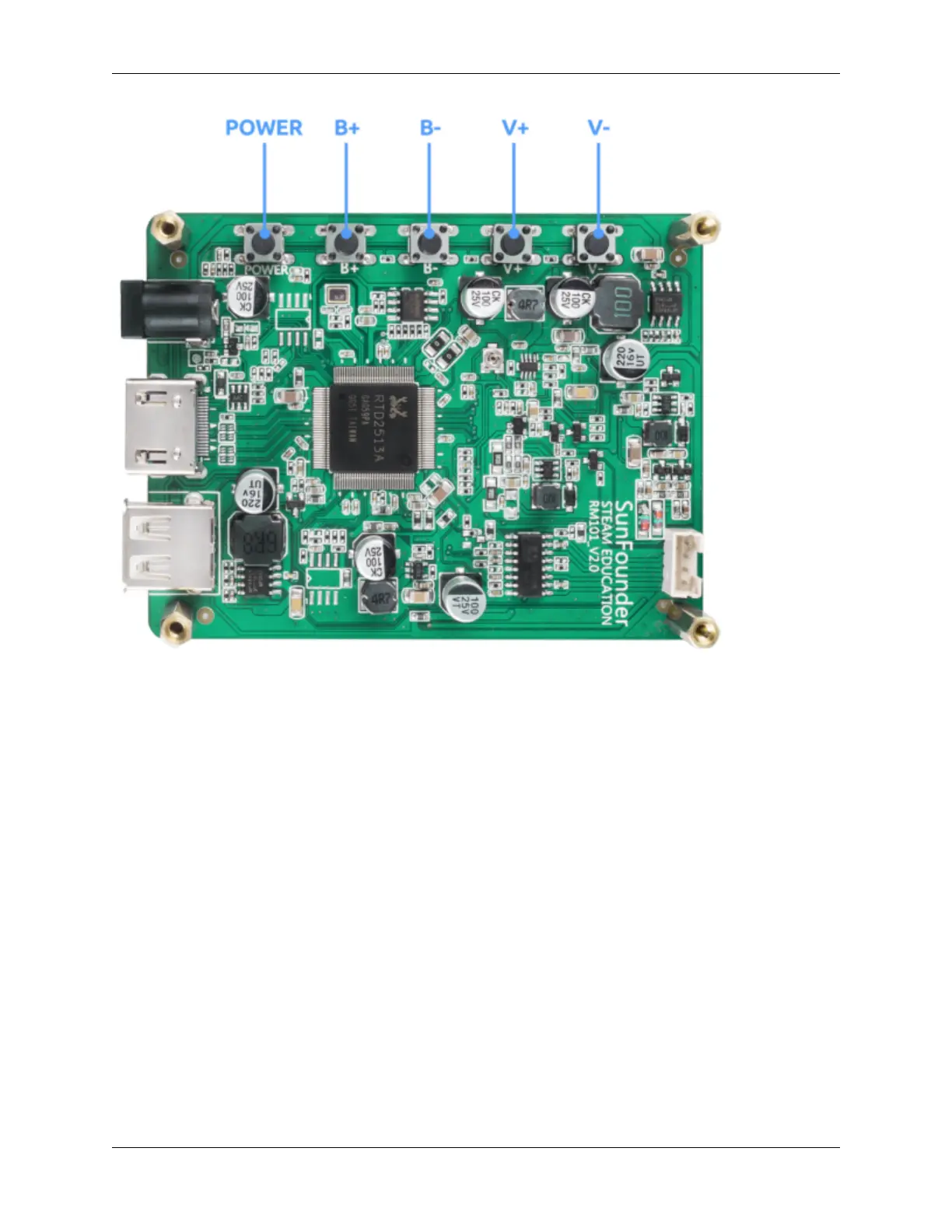
Power: Short press to switch ON/OFF(go into the sleep mode) the screen. Long press to power ON/OFF the de-
vice(Raspberry Pi).
• B+: Increase screen brightness.
• B-: Reduce screen brightness.
• V+: Volume up.
• V-: Volume down.
On one side of the main board there are ports of HDMI input, 12V power input, and 5V/3A USB power output. Also
equipped with a 4pin PH2.0 speaker connector.
4 Chapter 1. HARDWARE DESCRIPTION



 To Next Page