SunFounder TS-10 10.1-inch Touch Screen
4.2 Install Virtual Keyboard
When you use a touch panel, you can connect an external keyboard to help you do a text input operation, but it is best
to install a virtual keyboard.
Install the required software with the following command.
sudo apt install onboard -y
sudo apt install at-spi2-core
In order to make the virtual keyboard have a better effect, you need to do further settings.
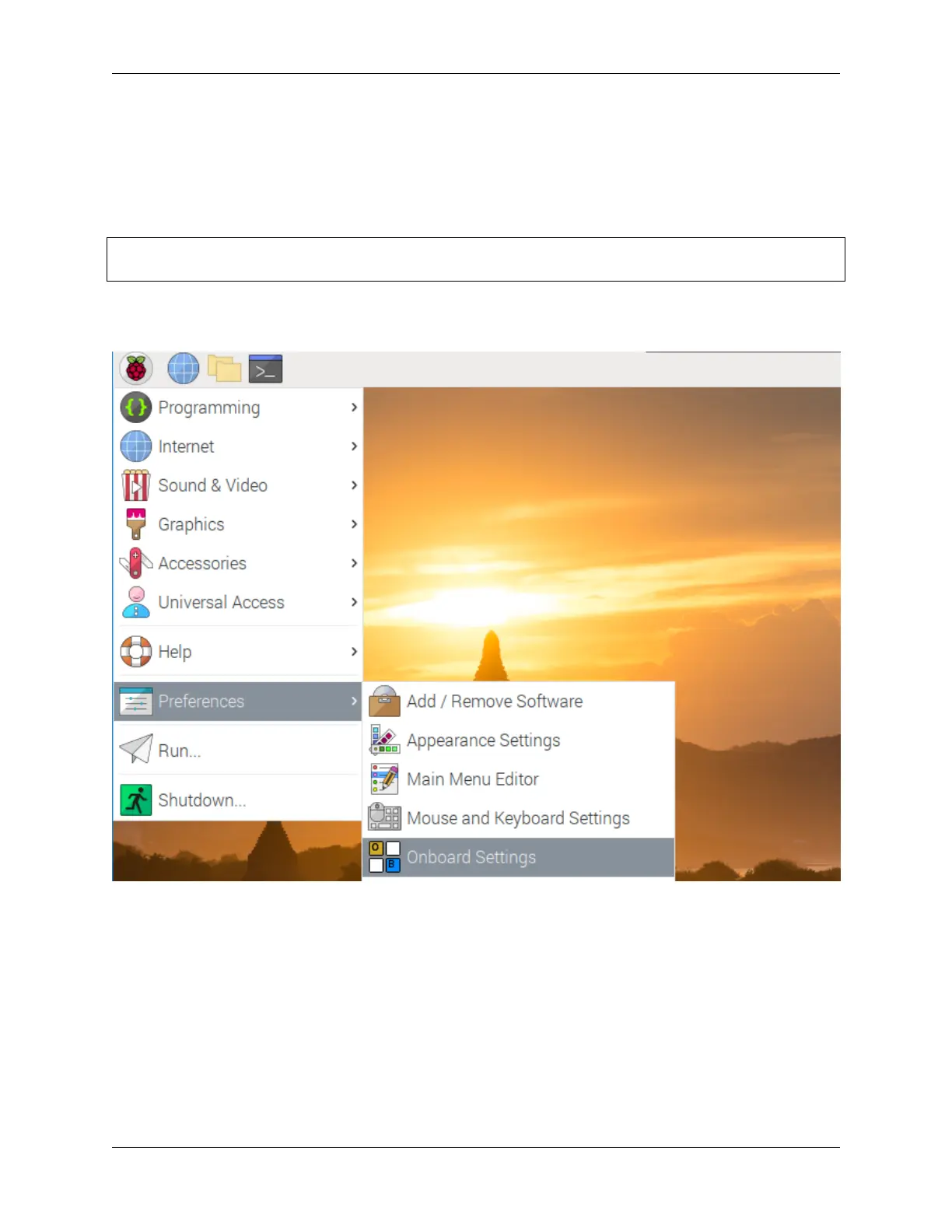
Click the Raspberry Pi icon in the upper left corner and select Preferences -> Onboard Settings.
In the General option, check the following 2 items. When you check Automatically display when editing text, you
will be prompted to reboot, you can reboot after all settings are complete.
24 Chapter 4. QUICK USER GUIDE



 To Next Page