SunFounder TS-10 10.1-inch Touch Screen
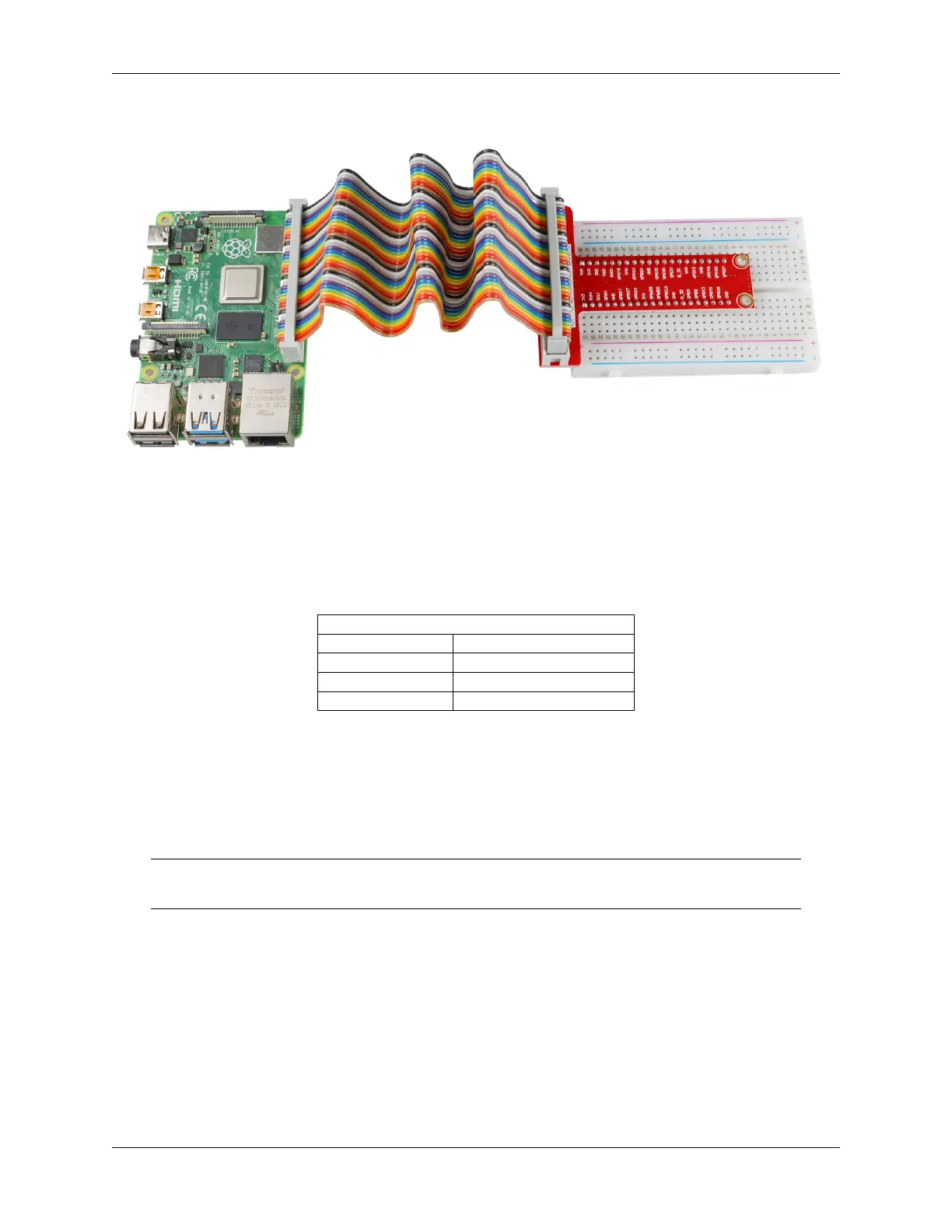
Connect the 40 pins of the Raspberry Pi to a breadboard according to the diagram below.
6.3 Obtain the IP Address of the Raspberry Pi
With a Screen
If you have a screen, it will be easy for you to get the IP address of Raspberry Pi.
Required Components
Any Raspberry Pi 1 * Power Adapter
1 * Micro SD card 1 * Screen Power Adapter
1 * HDMI cable 1 * Screen
1 * Mouse 1 * Keyboard
1. Insert the micro-SD card with the Raspberry Pi OS image into the micro SD card slot on the underside of the
Raspberry Pi.
2. Plug in the Mouse and Keyboard.
3. Connect the screen to the Raspberry Pi’s HDMI port. Make sure the screen is plugged into a wall socket and
turned on.
Note: For the Raspberry Pi 4 models, connect the screen to the HDMI0 port, nearest to the power-in
socket.
4. Use the power adapter to power the Raspberry Pi. After a few seconds, the Raspberry Pi OS desktop will be
displayed.
5. Hover the cursor over the WiFi icon, and the IP address of the Raspberry Pi will be displayed.
6.3. Obtain the IP Address of the Raspberry Pi 197



 To Next Page