SunFounder TS-10 10.1-inch Touch Screen
• 10k Ohm Resistor
• Several Jumper Wires
You Will Learn
• Use note functions on Scratch.
• Input the button value from the GPIO pins.
Lesson Guide
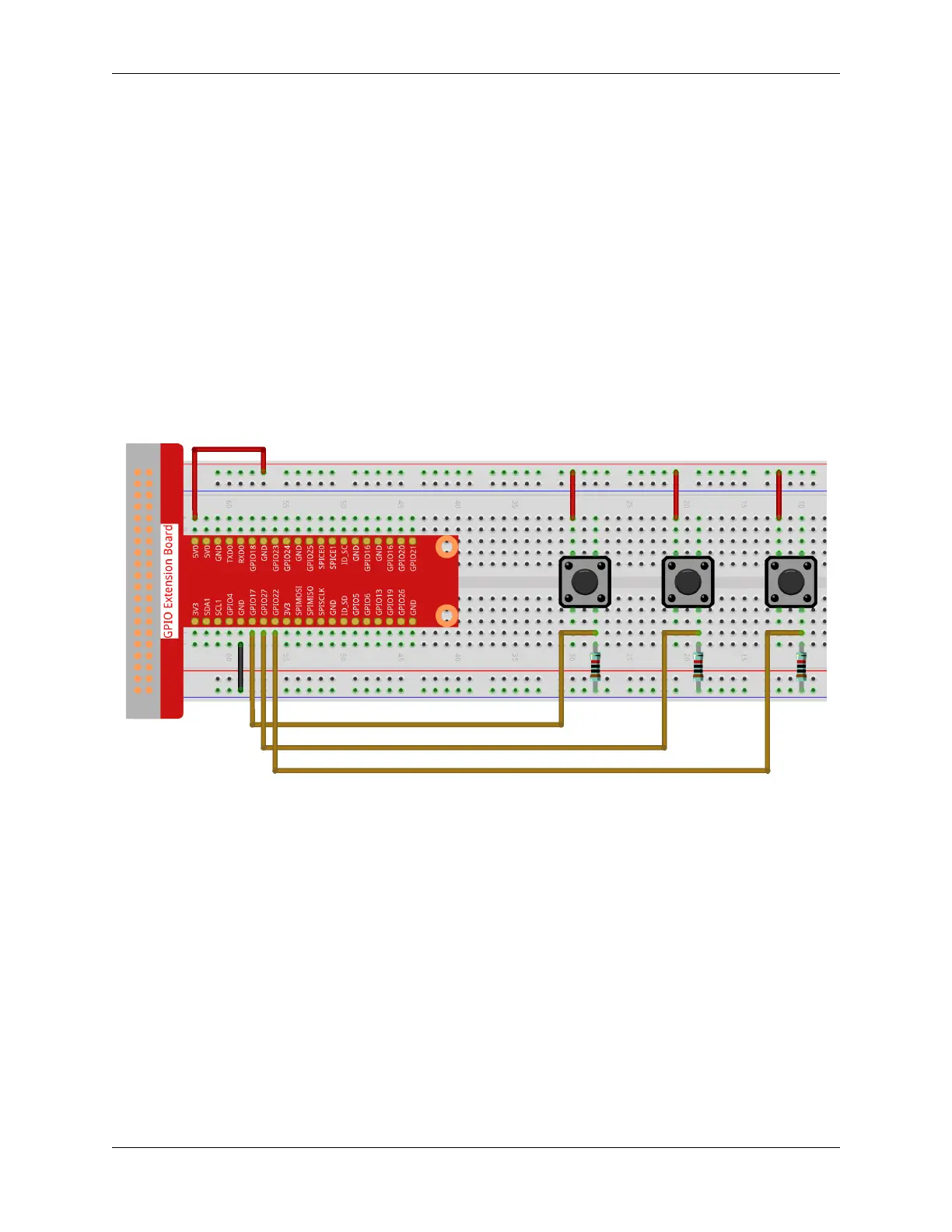
Build the Circuit
First connect the GPIO Extension Board, please read GPIO Extension Board for specific steps.
Insert the T-type GPIO extension board into the breadboard and build the circuit as shown below.
Programming with Scratch 3
On the left of Scratch 3 main page are some neatly arranged blocks with which you can drag to program. In this
project, we need to add in other two functions: Music and Raspberry Pi GPIO. The Music function to play instruments
and drums, and the Raspberry Pi GPIO function can be used to control the whole pins of Raspberry Pi.
5.7. Scratch Projects 185



 To Next Page