SunFounder TS-10 10.1-inch Touch Screen
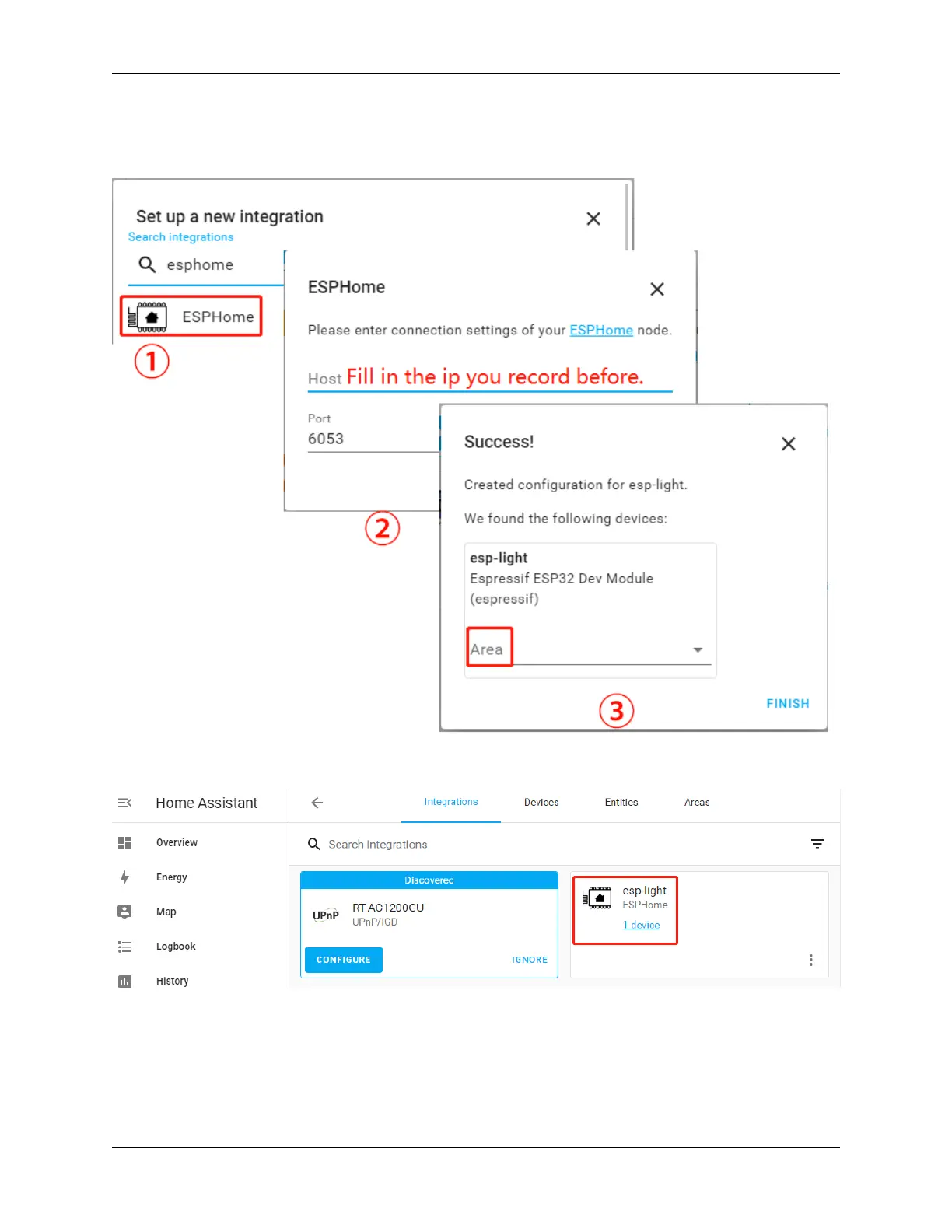
3. Search for ESPHome in the pop-up window and fill in the Host (the IP recorded after the INSTALL step in
chapter:ref:Install and configure ESPHome), with the option to place your esp-light in the bedroom, kitchen or
other area of your choice.
4. After clicking Finish, you will see it in the list.
Edit Dashboard
Now a CARD needs to be added to control this esp-light.
Click Overview –> Edit Dashboard –> ADD CARD, you can select the corresponding CARD according to your
needs, for example, select Button here, and then select the corresponding Entity.
5.4. Home Assistant 73



 To Next Page