EasyManua.ls Logo

Sungale CD700A - Chapter 2 Connection; Power Connection

Sungale CD700A
28 pages
Print Icon
To Next Page IconTo Next Page
To Previous Page IconTo Previous Page
Loading...
Chapter
2
Connection
Power
Connection
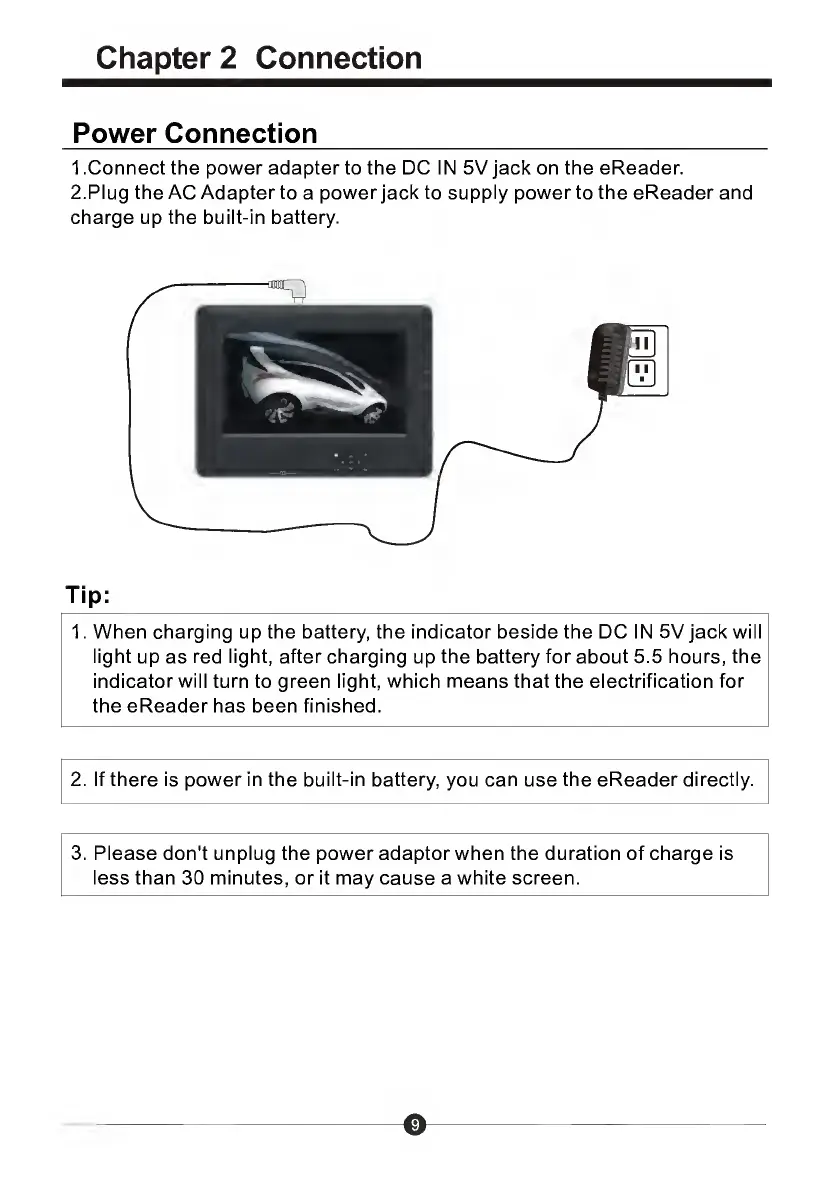
1
.Connect
the
power
adapter
to
the
DC
IN
5V
jack
on
the
eReader.
2.Plug
the
AC
Adapter
to
a
power
jack
to
supply
power
to
the
eReader
and
charge
up
the
built-in
battery.
Tip:
1.
When
charging
up
the
battery,
the
indicator
beside
the
DC
IN
5V
jack
will
light
up
as
red
light,
after
charging
up
the
battery
for
about
5.5
hours,
the
indicator
will
turn
to
green
light,
which
means
that
the
electrification
for
the
eReader
has
been
finished.
2.
If
there
is
power
in
the
built-in
battery,
you
can
use
the
eReader
directly.
3.
Please
don't
unplug
the
power
adaptor
when
the
duration
of
charge
is
less
than
30
minutes,
or
it
may
cause
a
white
screen.

Related product manuals