EasyManua.ls Logo

Sungale CD700A - Chapter 4 Settings; Setup

Sungale CD700A
28 pages
Print Icon
To Next Page IconTo Next Page
To Previous Page IconTo Previous Page
Loading...
Chapter
4
Settings
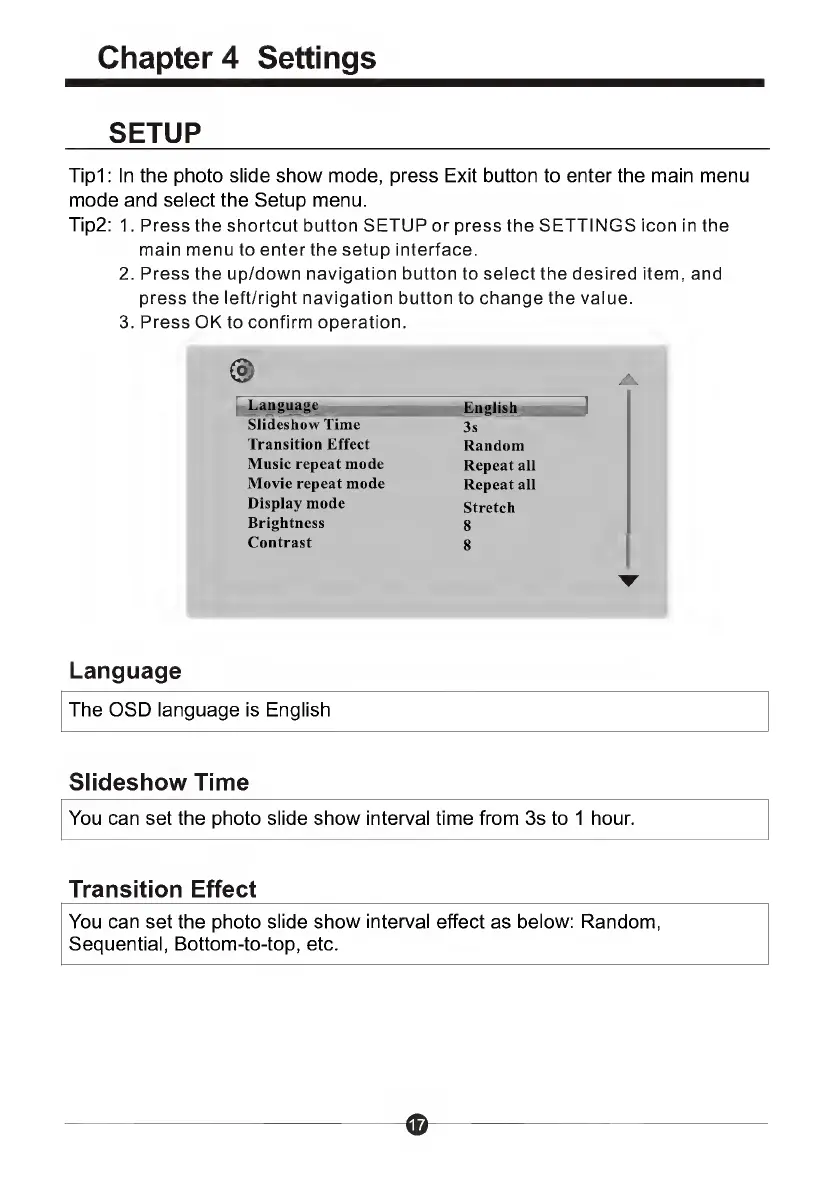
SETUP
Tipi:
In
the
photo
slide
show
mode,
press
Exit
button
to
enter
the
main
menu
mode
and
select
the
Setup
menu.
Tip2:
1.
Press
the
shortcut
button
SETUP
or
press
the
SETTINGS
icon
in
the
main
menu
to
enter
the
setup
interface.
2.
Press
the
up/down
navigation
button
to
select
the
desired
item,
and
press
the
left/right
navigation
button
to
change
the
value.
3.
Press
OK
to
confirm
operation.
@
Language
English
1
Slideshow
Time
3s
Transition
Effect
Random
Music
repeat
mode
Repeat
all
Movie
repeat
mode
Repeat
all
Display
mode
Stretch
Brightness
8
Contrast
8
r
Language
The
OSD
language
is
English
Slideshow
Time
You
can
set
the
photo
slide
show
interval
time
from
3s
to
1
hour.
Transition
Effect
You
can
set
the
photo
slide
show
interval
effect
as
below:
Random,
Sequential,
Bottom-to-top,
etc.

Related product manuals