17
IInnssttaallllaattiioonn SStteeppss
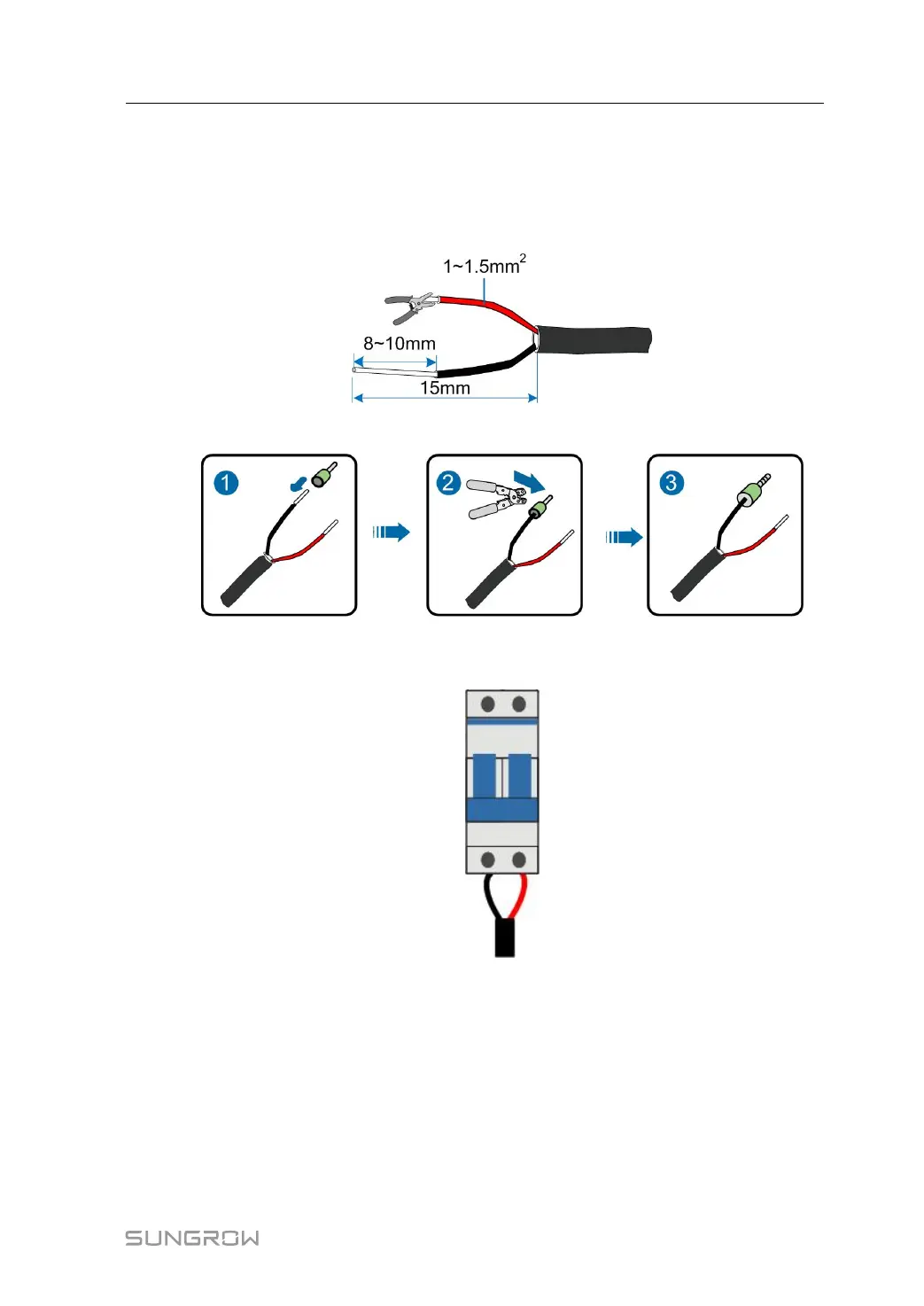
step 1 Unscrew the waterproof terminal "Input AC220V", and lead the external power supply
cable through the terminal.
step 2 Strip the cable with a wire stripper.
step 3 Crimp the cord end terminal, where the recommended terminal model is: LT015008.
step 4 Connect the cord end terminal to the corresponding terminal, and secure it with screw,
where the fastening torque is 2.0N·m.
step 5 Screw the waterproof terminal "Input AC220V".
-- -- EEnndd
4.4.5 PLC Port Connection
WWiirriinngg DDiiaaggrraamm
COM100 can be connected to double-split transformer or double-winding transformer,
as shown in the figures below.
User Manual 4 Electrical Connection


 To Next Page