8 WEB Interface User Manual
22
Display of
summary
operating
information
Current operating mode and summary operating
information of the system
Schematic diagram of system running
Used for switching between Chinese and English
interfaces
Detailed fault and alarm information of the system
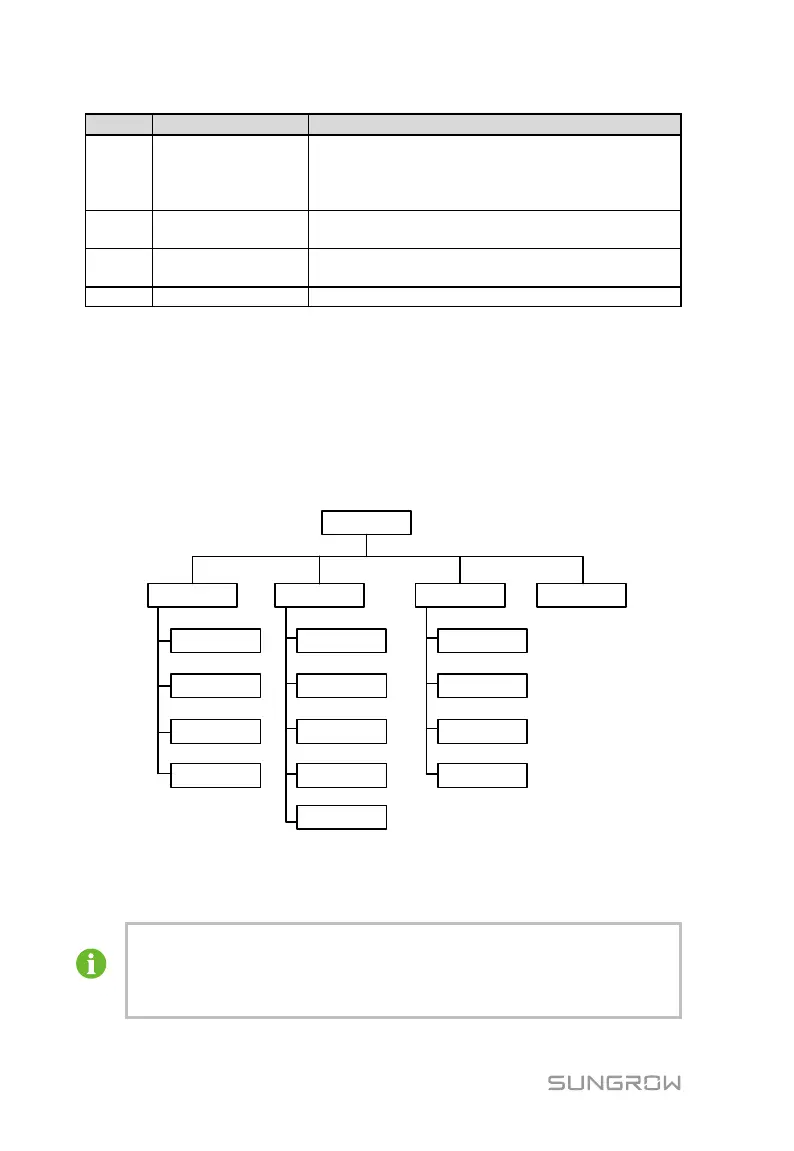
8.5 WEB Menu
The WEB Menu includes four main function modules: "Operating Information",
"Parameter Settings", "History Records", and "System information".
Specific classifications of the administrator menu is shown in the following
figure.
WEB Main
Interface
Operating
Information
Parameters
Settings
History
Records
System
Information
Summary
Information
Running
Records
Event Records
Fault Records
Alarm Records
PCS
Information
BMS
Information
System
Parameters
Operating
Parameters
EMS Comm
Parameters
Slave Unit
Parameters
Protection
Parameters
Detailed
Informatioin
8.6 Operating Information
When the local controller is connected to different systems and
devices, the operating information interface is different.
When the connected device is set to the "enable" and "disable" states,
device types and device names displayed on the operating information



 To Next Page