GD_202011_RT Series_3-Phase Hybrid Inverter Commissioning Guide_V1.0 Page 10 of 11
© Sungrow Australia Group Pty. Ltd. All rights reserved.
As we continuously improving our services, changes to this document may occur without notice.
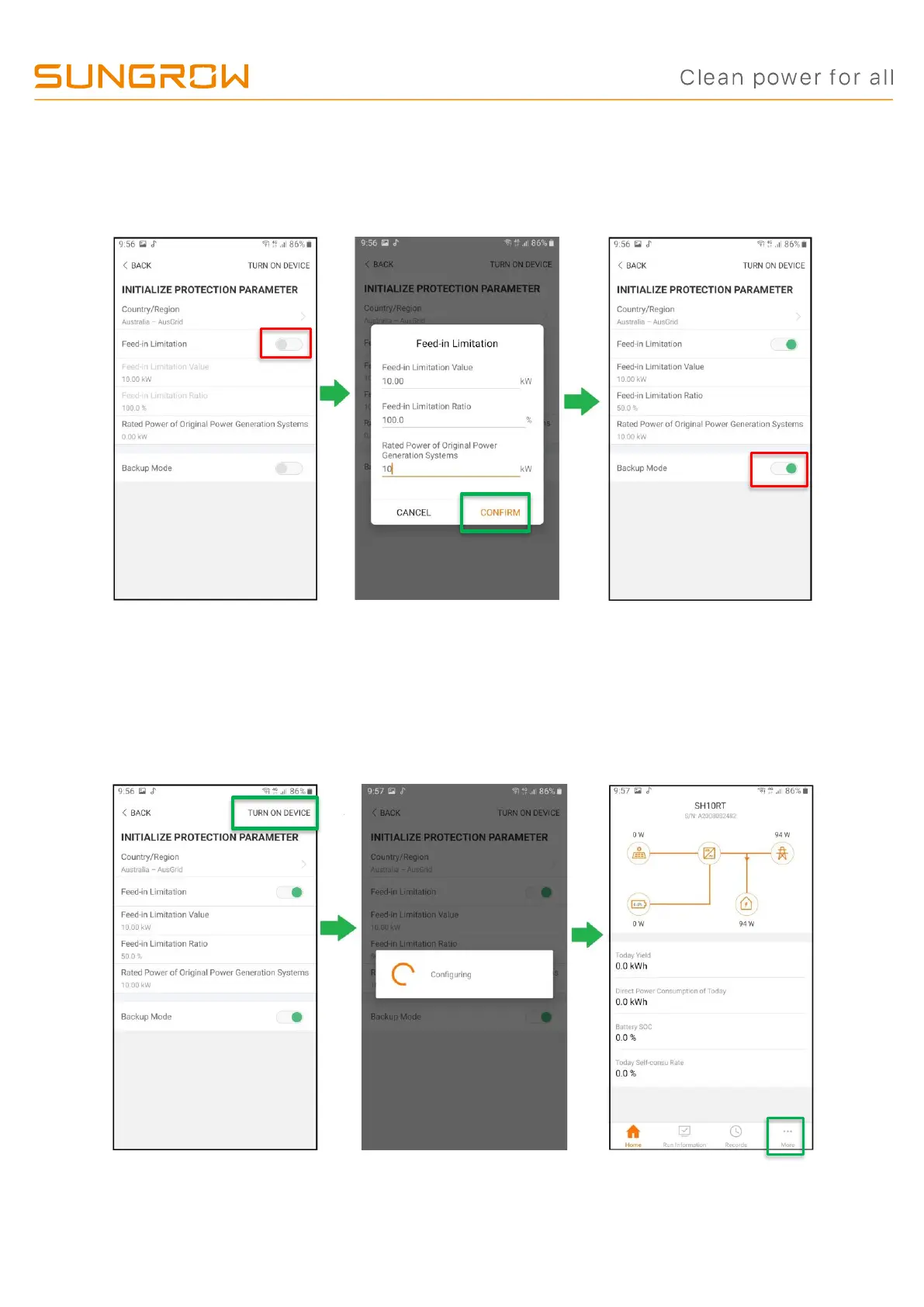
d) Set the feed-in, Existing system and backup mode as required: If required,
enable the Feed-in limitation, and add all other generators that are also connected
and confirm. Enable the Backup mode.
e) Initialise the inverter: Tap “TURN ON DEVICE” at top right corner and allow the
inverter to initialise and complete the start-up procedure (may take a couple of
minutes). Wait till the Blue LED goes on steadyIf any further settings are necessary,
tap the “MORE” button bottom left. Continue by creating the iSolarCloud Plant.


 To Next Page