GD_202011_RT Series_3-Phase Hybrid Inverter Commissioning Guide_V1.0 Page 8 of 11
© Sungrow Australia Group Pty. Ltd. All rights reserved.
As we continuously improving our services, changes to this document may occur without notice.
3. Commissioning
Once all the connections have been completed, commissioning is done via the
iSolarCloud App.
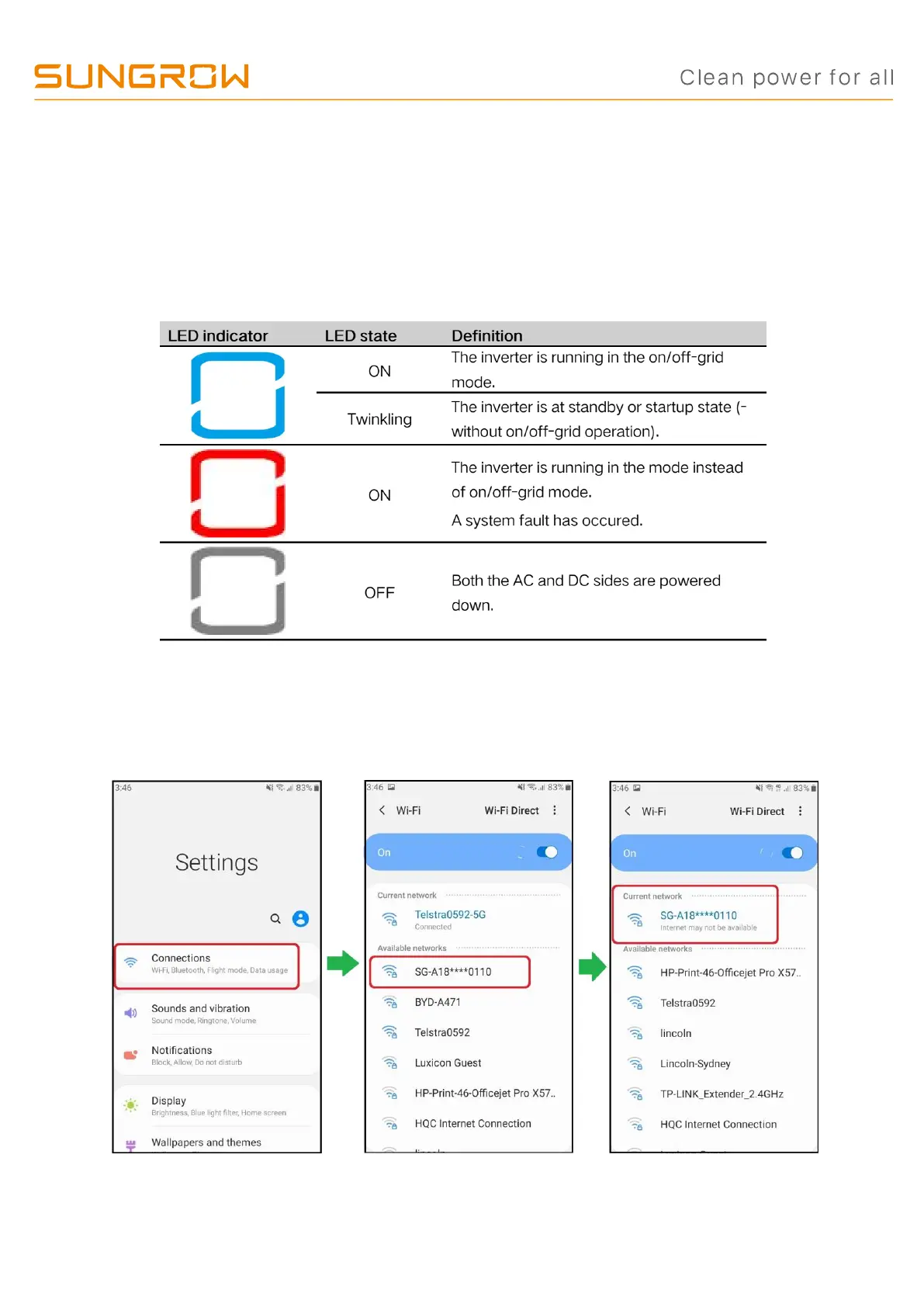
1. Switch on AC, DC and Battery. Allow the inverter to cycle through its initial boot.
Once the inverter is ready to commission, the blue LED will slowly pulse.
2. Initialise and commission the inverter by using the iSolarCloud App.
a) Connecting to the dongle: Go to the WiFi settings on your phone. Connect to the
SG network. The dongle serial number is the password if required.


 To Next Page