22
~
Registering
a
Master
Passcode
@
Pe
rf
o
rm
the
follo
wi
ng
procedur
e
wi
th t
he
d
oo
r
open
so
that
you
are
not
-
Note
locked
ou
t of
yo
ur home
duri
ng
the p
rocess
.
@
M
ake
s
ur
e to
tes
t
th
at
a
valid
m
as
t
er
p
assco
de
is
reg
is
t
ere
d
be
fo
re
cl
osi
ng
the d
oo
r.
Yo
u
can
test
it
by
p
ressi
ng
th
e
OPEN
/
CLOSE
button
to
-
Note
ex
t
en
d the d
ea
db
o
lt
latch and
ent
eri
ng
th
e m
as
ter
p
as
s
co
de
to
re
tract
th
e
deadbo
lt
lat
ch.
1.
Press
the
Passcode
Registration Button
(2
Beeps).
2.
Press
the
'#' sign
on
the
keypad
(2
Beeps).
Pressing the '#' alerts
the
door lock
you
are
registering a
master
passcode.
3.
Enter the current master passcode
(3-20
Digits)
in
order to authenticate
your right
to
register a master passcode.
4.
Press
the
'*' sign
on
the
keypad
(3
Beeps)
to indicate the
end
of
the
master
passcode.
5. Enter
the
new
desired master passcode (3-20 Digits).
6.
Press
the '*' sign
on
the
keypad
(3
Beeps)
to indicate the
end
of
the
master
passcode.
7. Enter
the
new
desired master passcode
again
for
confirmation
(3-20 Digits).
8.
Press
the
Passcode
Registration Button
(4
Beeps).
~
Unlocking
Using
a
Master
Passcode
or
a
Master
Tag
Key
Unlocking
the
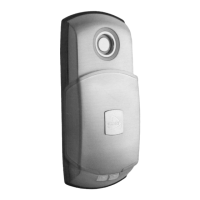
AP501
door lock using a master passcode or a master
Tag
Key
is
identical
to
unlocking using a user passcode or a user
Tag
Key.
Please
refer to
the
Unlocking section for
the
corresponding procedures.
Q
Effect
of
the
Master
Function
on
User
Passcode
and
User
Tag
Keys
Activating
the
master function
and
reg
istering a master passcode or
master
Tag
Key
do not
have
any
effect
on
the user passcode
and
user
Tag
Keys.
The
user passcode
and
user
Tag
Keys
are
registered
and
used
in
the
same
manner
as
if the master function
is
not activated.


 To Next Page