10 • Questions? Call or Text +1 801-658-0015
CDDP WELDER USERS GUIDE
Chapter 3: How to Operate the Sunstone CDDP
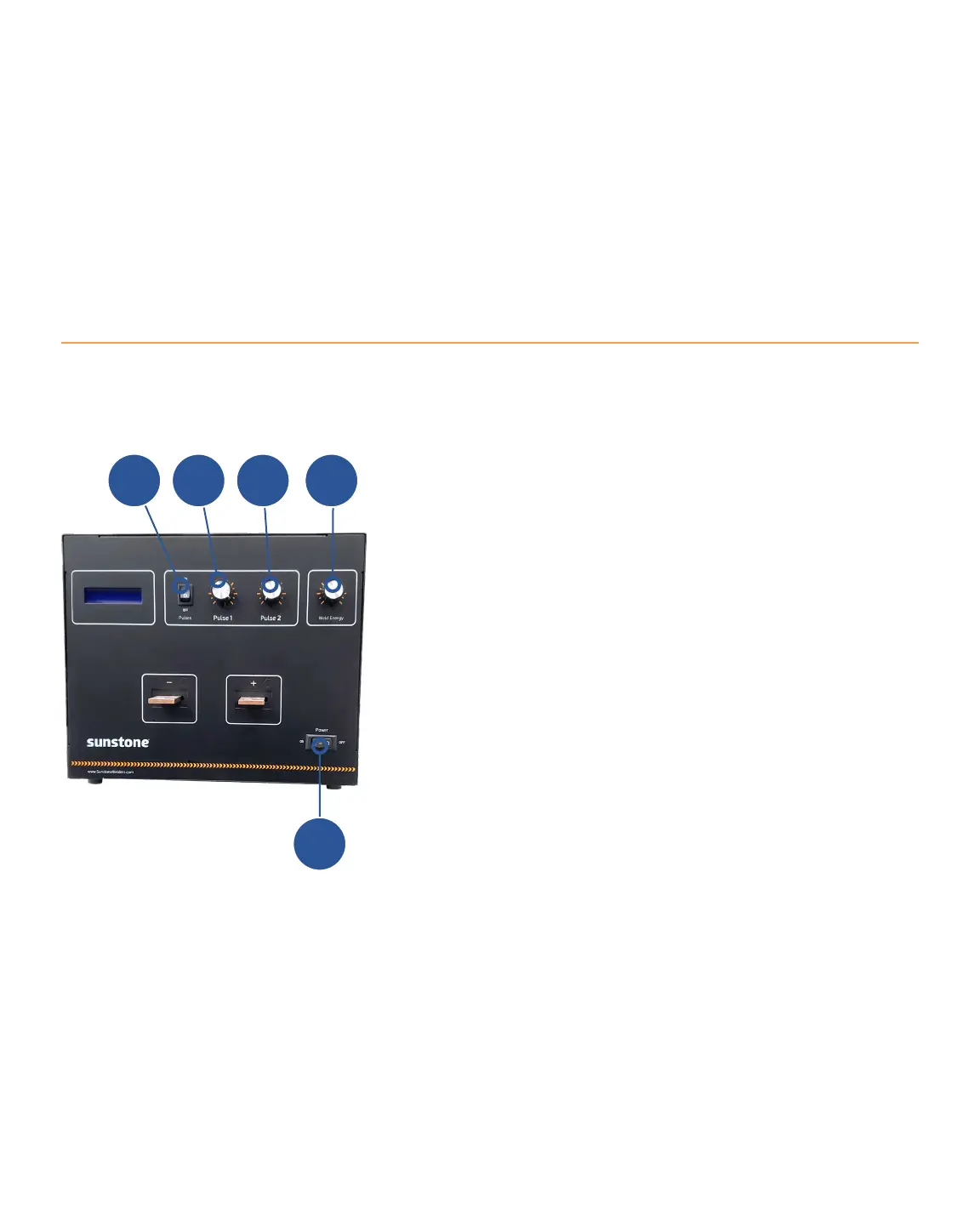
Assuming you have read all safety notices, have a clear work area, and have already connected a weld head
or hand held attachment to the CDDP, refer to Figure 10.1 and follow these instructions to release energy and
A
• Power on the CDDP using the Power Switch (A) in the
bottom right-hand corner of the welder’s front panel.
The LCD screen on the front of the welder will illuminate
and display the message POWER ON.
• Make sure the Pulse Switch (E) is turned to the ON
position if you wish to actuate a weld. If you are using a
Roll Spot hand held attachment, see Roll Spot Setup on
page 8.
• Select the desired weld energy by turning the Weld
Energy adjustment knob (D). The LCD screen will
display the energy level as you turn the knob. Sunstone
The maximum energy level you can select depends
upon the model you are using.
• The CDDP has two pulse width energy controls. The
LCD screen displays each pulses’ total stored energy
as a percentage of the total stored energy in Joules (J).
desired, using the Pulse Switch (B). Both pulses can be
weld attachment setup or electrode maintenance. Pulse
1 is adjustable between 1% and approximately 30%
DCB
Figure 10.1. To operate the Sunstone CDDP:
1. Turn on the welder using the Power Switch (A).
2. Make sure the Pulses Switch (E) is on.
3. Set the weld energy by turning the Weld Energy
knob (D).
4. Next, set the turn the Pulse 1 adjustment knob
(B) to set power for Pulse 1 and then the Pulse 2
adjustment knob (C) for Pulse 2.
5. Actuate the trigger to send energy to the
electrode(s).
E















 To Next Page