8 • Questions? Call or Text +1-801-658-0015
Orion
™
mPulse User Manual
• Completely remove the electrode from the
stylus.
• Pinch the electrode between the thumb and
index and/or middle nger with the shaft going
perpendicular to the ngers. See Figure 8.1.
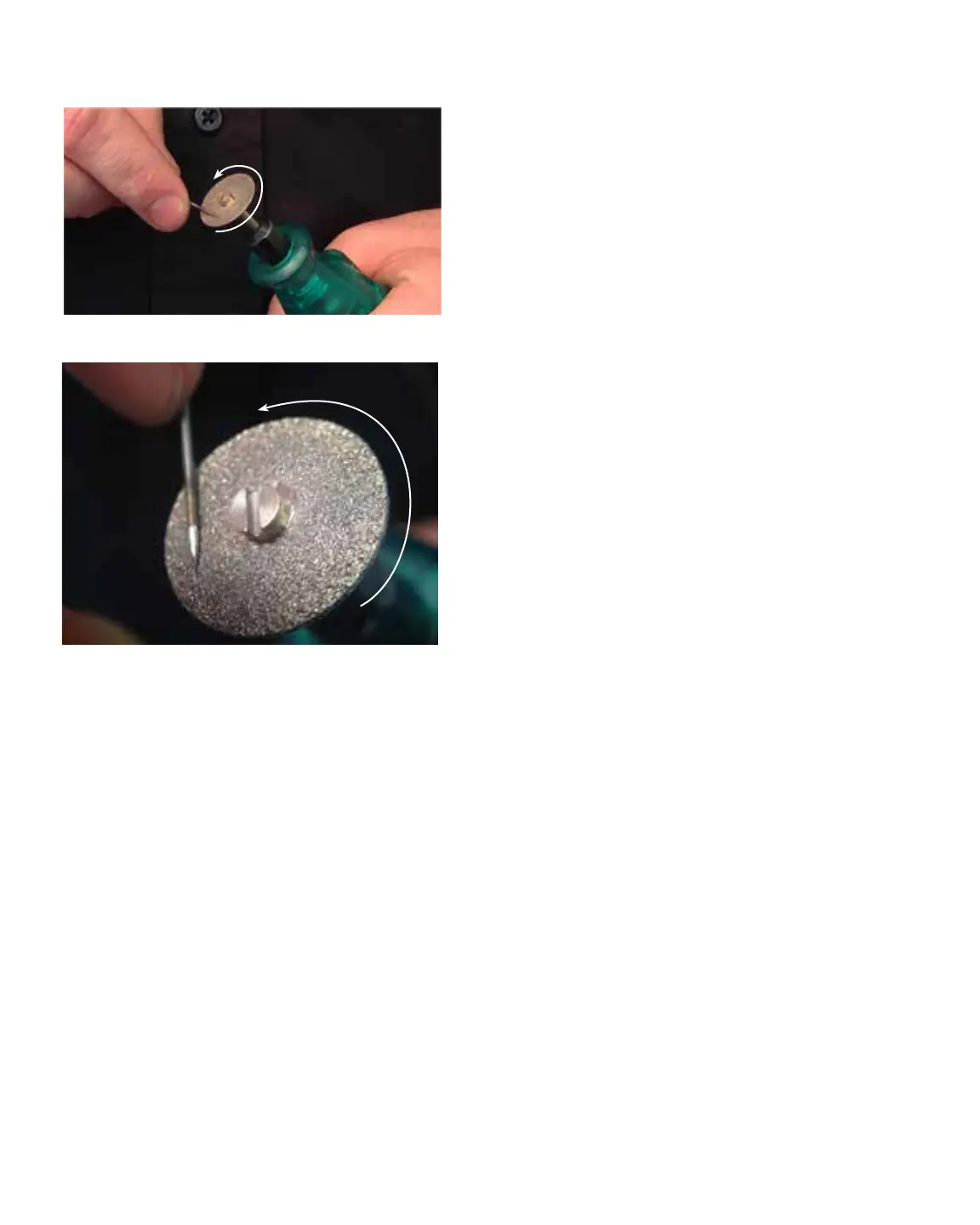
• Power on the rotary tool then hold it with the
opposite hand.
• Place the electrode tip on the diamond disc so
the grit of the disk is moving parallel with the
electrode shaft and moving towards the tip. See
Figure 8.2. Sharpening the electrode in a way
other than explained here will aect the quality
of the weld.
• Set the electrode on the diamond disk at a
10-degree angle and begin to spin the elec-
trode with the thumb and middle nger. Tip:
A helpful way to get a sharp electrode is to
push down on the electrode with your index
nger while twisting the electrode with the
thumb and middle nger. See Figure 8.2
• Once the electrode is sharp and clean, turn o
the rotary tool and insert the electrode back
into the stylus as explained above.
Note: As a rule of thumb, Sunstone recommends a
sharpened electrode anytime a new workpiece is being
welded.
WHEN TO FLATTEN/ BLUNT THE
ELECTRODE
• When working with silver, copper, and other
highly conductive metals in energy levels
above 20 Ws, it is recommended to blunt the
electrode instead of sharpening it. Follow the
“When to Sharpen the Electrode” instructions
on the previous page.
• Once the electrode is sharp and clean, turn
the electrode to a 90-degree angle and push
it against the diamond disk in order to place
a at/blunt tip on the electrode. Cleaning
Figure 8.1. A sharp electrode tip improves arc initiation and
results in a better overall weld.
Figure 8.2. Use a rotary tool to sharpen the electrode.
R
O
T
A
T
I
O
N
R
O
T
A
T
I
O
N















 To Next Page