80-0067-00-MO-RevF 2017-10-03 SunTech CT40 User Manual | 10
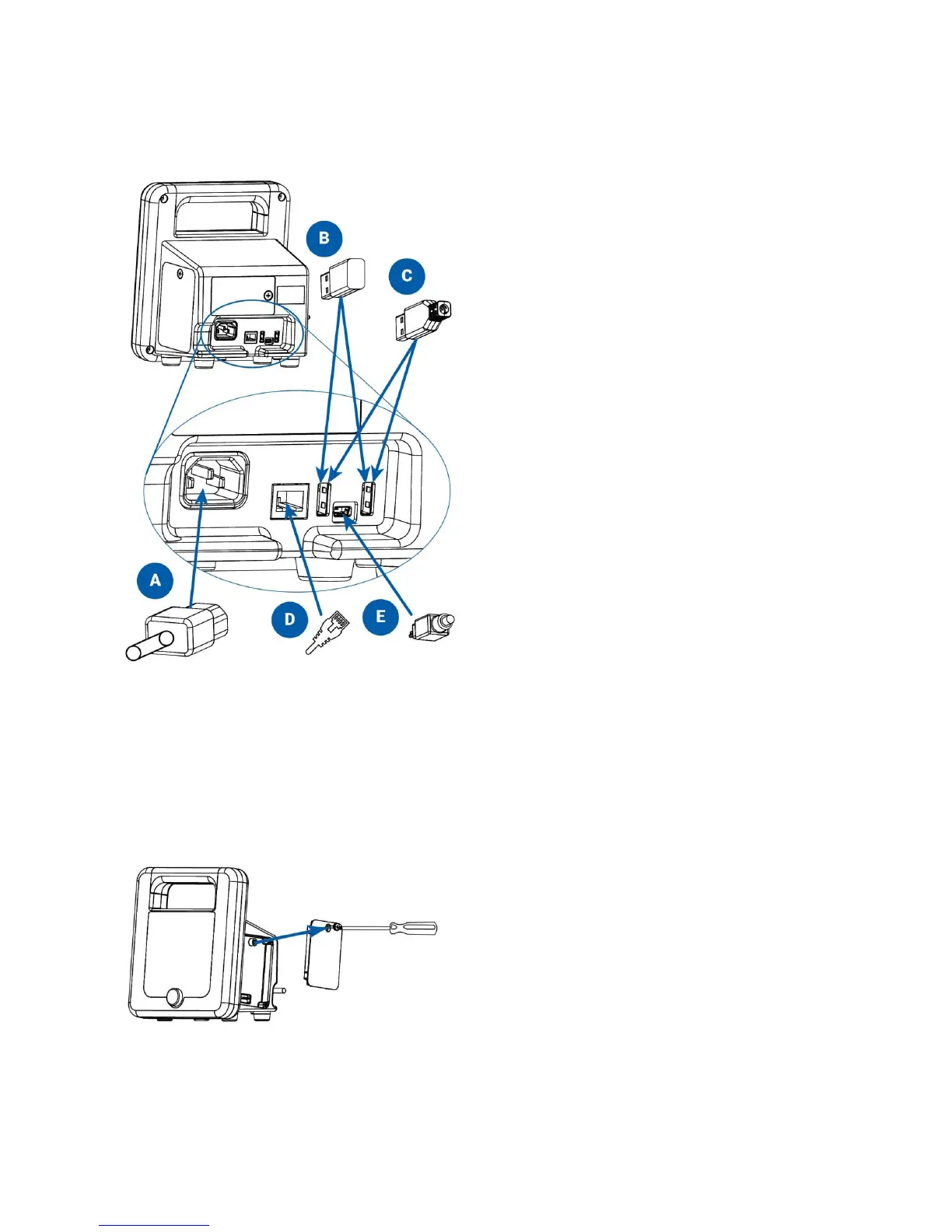
Rear Panel Configuration
SunTech CT40 connections on the back of the device:
Connect AC power cord
Wi-Fi USB dongle (optional)
Printer or barcode scanner USB cable (optional)
Ethernet cable (optional)
Mini USB cable to connect to PC or laptop
Side/Temperature Panel Configuration
If no temperature module will be added, then attach the right panel of the CT40, using the included Phillips-head
screwdriver. This panel will be on the right side, when the screen is facing the user.


 To Next Page