80-0067-00-MO-RevF 2017-10-03 SunTech CT40 User Manual | 11
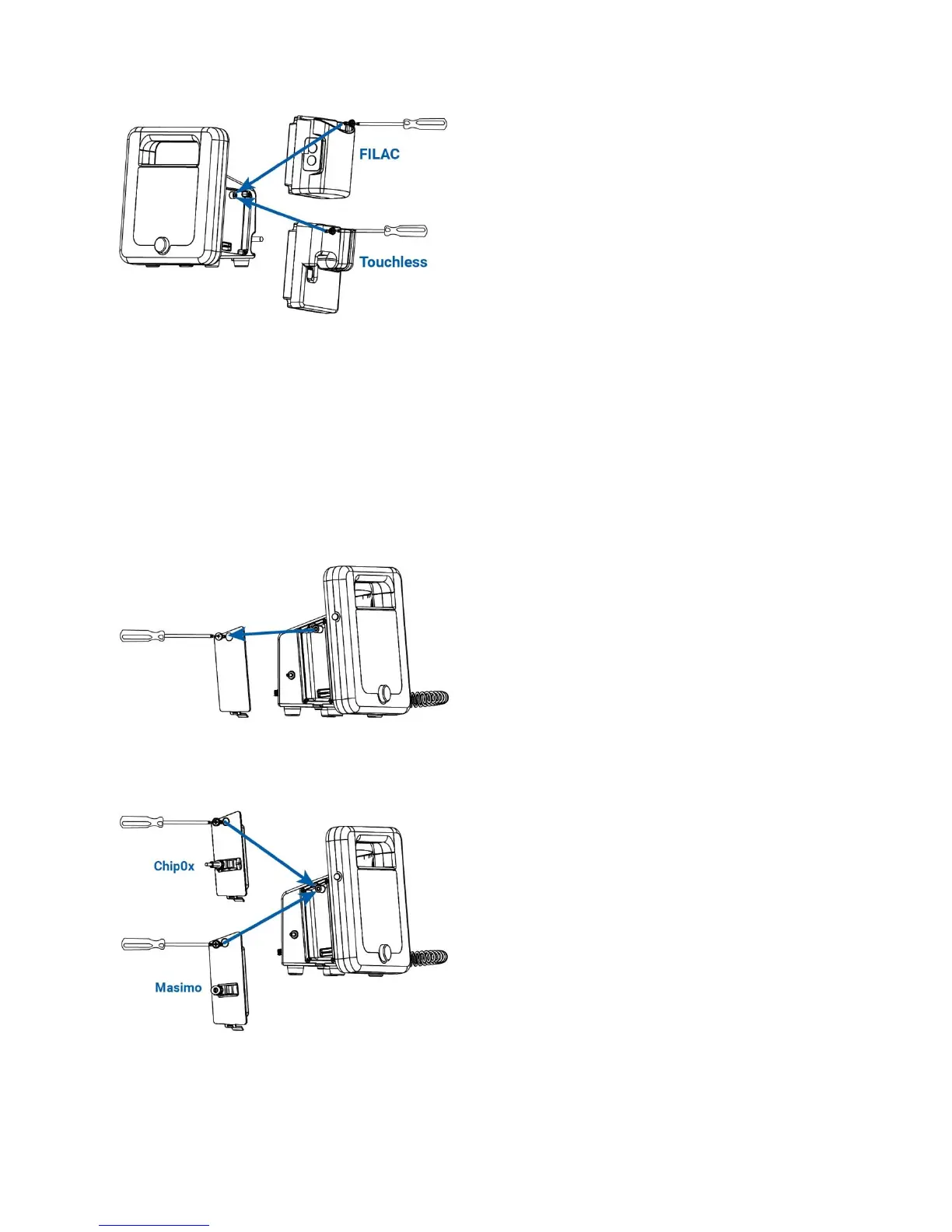
To add a temperature module, attach the module on the right side of the main unit. Fasten with the included Phillips-
head screwdriver.
For FILAC
®
:
Temperature unit connector: Insert the probe/well-assembly into the top of the FILAC
®
module.
For Touchless:
Plug in the touchless thermometer cable connector into the already inserted module.
Side/SpO
2
Panel Configuration
Remove the left panel of the CT40, using a Phillips head screw driver. This panel will be on the left side, when the
screen is facing the user.
To add an SpO
2
module, attach the module on the left side of the main unit. Fasten with the included Phillips-head
screwdriver.
For Masimo
®
:


 To Next Page