80-0067-00-MO-RevF 2017-10-03 SunTech CT40 User Manual | 17
Visual Alarms
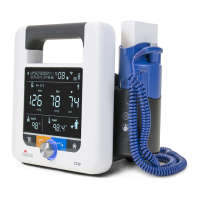
When an error occurs, the Warning icon will blink, in addition to the relevant parameter experiencing the error.
Blood pressure error is displaced in the BP heart rate field.
Temperature error will displace in the lower right hand.
SpO
2
error will displace in lower left side of the screen.
Battery symbol will flash if error is related to battery.
Depending on the out-of-range value, the display will indicate whether the value is out-of-range (hi) or out-of-range
(lo). If the out-of-range parameter is the systolic or diastolic pressure (or both), and MAP is enabled, MAP is not
displayed for that measurement. NOTE: MAP is not available in the U.S.
See Section 12, “Status Messages and Alarms,” for more details.
4. Good to Know Before You Begin
Power Modes
Initial Power-up occurs the first time the device is turned on after being received from the factory, after the device
has been reset to factory defaults or after the battery has been changed. See “Monitor Setup” for information about
Initial Power-up.
Nominal Power-up refers to every time the device is turned on after Initial Power-up. Simply press the power button
and the display will illuminate.
NOTE: The blue LED around the Selection Knob will be lit whenever the device is powered on.
Power-down occurs when you press the power button when the device is powered up. During power-down, all LCD
segments and icons illuminate for 1 second and then the entire display gradually darkens from normal brightness to
black and then one beep sounds. At this point, the device enters Sleep Mode, a low-power state, and is considered
off.
Automatic Power-down occurs when the device has not been used (i.e., no measurements taken or buttons pressed)
for 1 hour. The device will automatically execute the Power-down sequence and enter Sleep Mode.
Your SunTech CT40 offers flexibility to function in ways that best meet your work setting.
Documenting Measurements
Before you start taking measurements, it’s important to document the patient ID per your facility’s procedures. In
order to do so, the barcode scanner must be used to enter the patient ID into the CT40.
With a Barcode Scanner
If your SunTech CT40 is connected to a barcode scanner, you can scan your patient’s barcode ID and it will show at
the top left of your screen. Then, the patient ID will remain attached to all measurements taken, saved in memory,
and/or sent to your facility’s EMR.


 To Next Page