SWDM320HB OPERATOR’S MANUAL
operation panel and floating foot switch, when the thin film surface moderators float switch and
volume on the primary volume floating pedal, floating status display: "open", loose after
primary volume floating pedal, the floating state is displayed: "when the off icon is not
displayed, it means that the display screen directly controls the floating function, that is ,the
floating valve has been opened. The floating state is displayed: "open".
Click “leveling" (Key 5), and enter the "leveling" interface to monitor auxiliary operations
such as mast erection, leveling and rotation.
Click "Set" (Key 6) to enter the "setting interface" for parameter setting.
Click "Monitor" (Key 7) to enter the "monitoring interface" for instrument and sensor
monitoring.
Click "Contact us "(Key 8) to enter the "contact us interface", it display the company's
marketing, after-sales and other contact information.
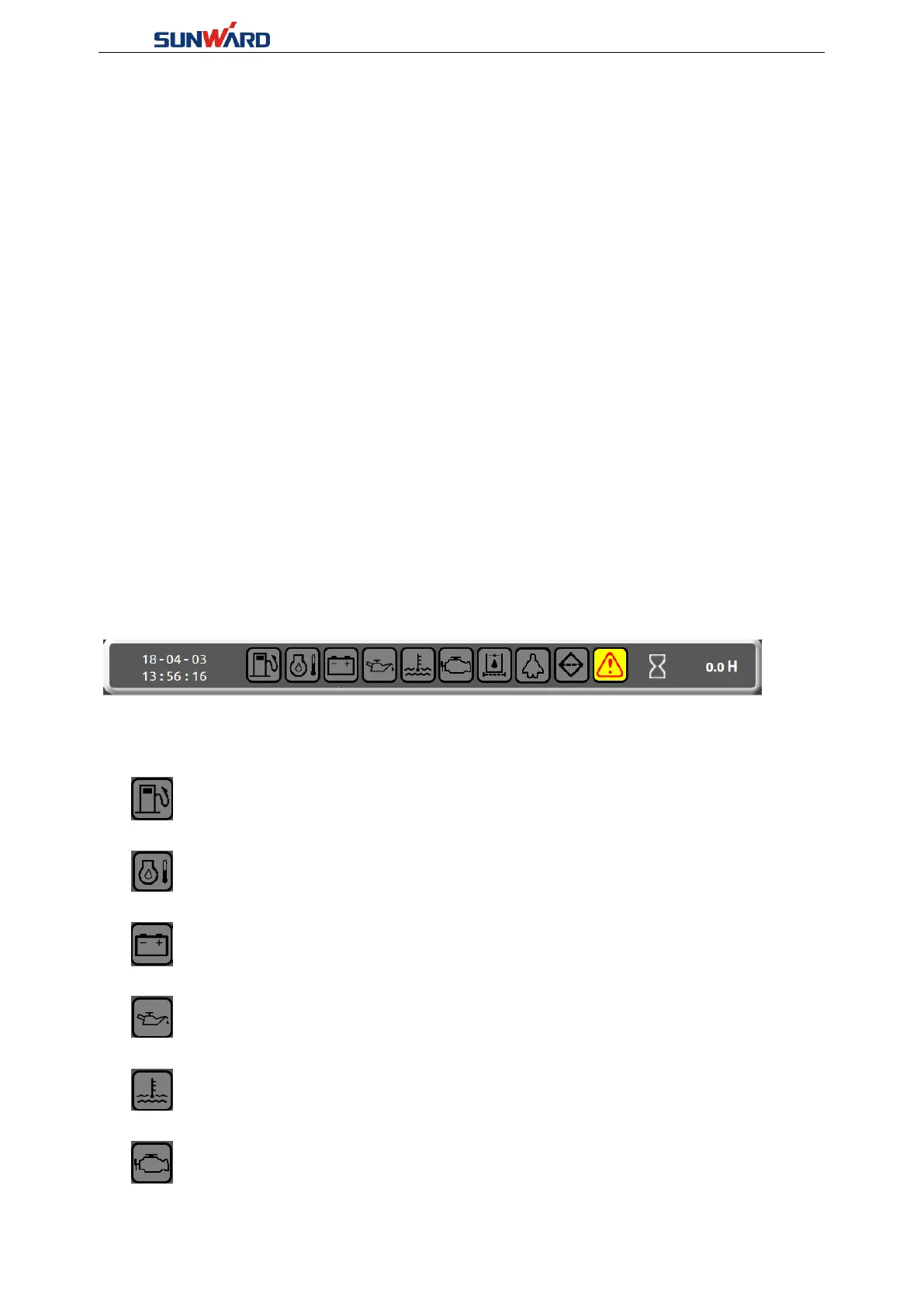
Main Interface Description:
The Icon on the top:
The left-most part of the line is the system date and time, which can be set in the system
settings. The far right is the number of working hours of the engine of the equipment.
Icon from left to right:
Fuel level alarm prompt: when the fuel is too low (generally less than 15%) this icon
will become yellow bottom with red line.
Hydraulic oil temperature alarm prompt: when the hydraulic oil temperature is too
high, the icon will become yellow bottom with red line.
Battery voltage alarm: when the battery voltage is too low (below 25.5V),the icon will
turn yellow bottom with red line.
Oil pressure alarm: when the oil pressure is abnormal, the icon will turn yellow bottom
with red line.
Warning of engine water temperature: when the engine water temperature is too high,
the icon will turn yellow bottom with red line.
Engine failure alarm prompt: this icon will turn yellow bottom with red line when the
engine has failure.



 To Next Page