SWDM320HB OPERATOR’S MANUAL
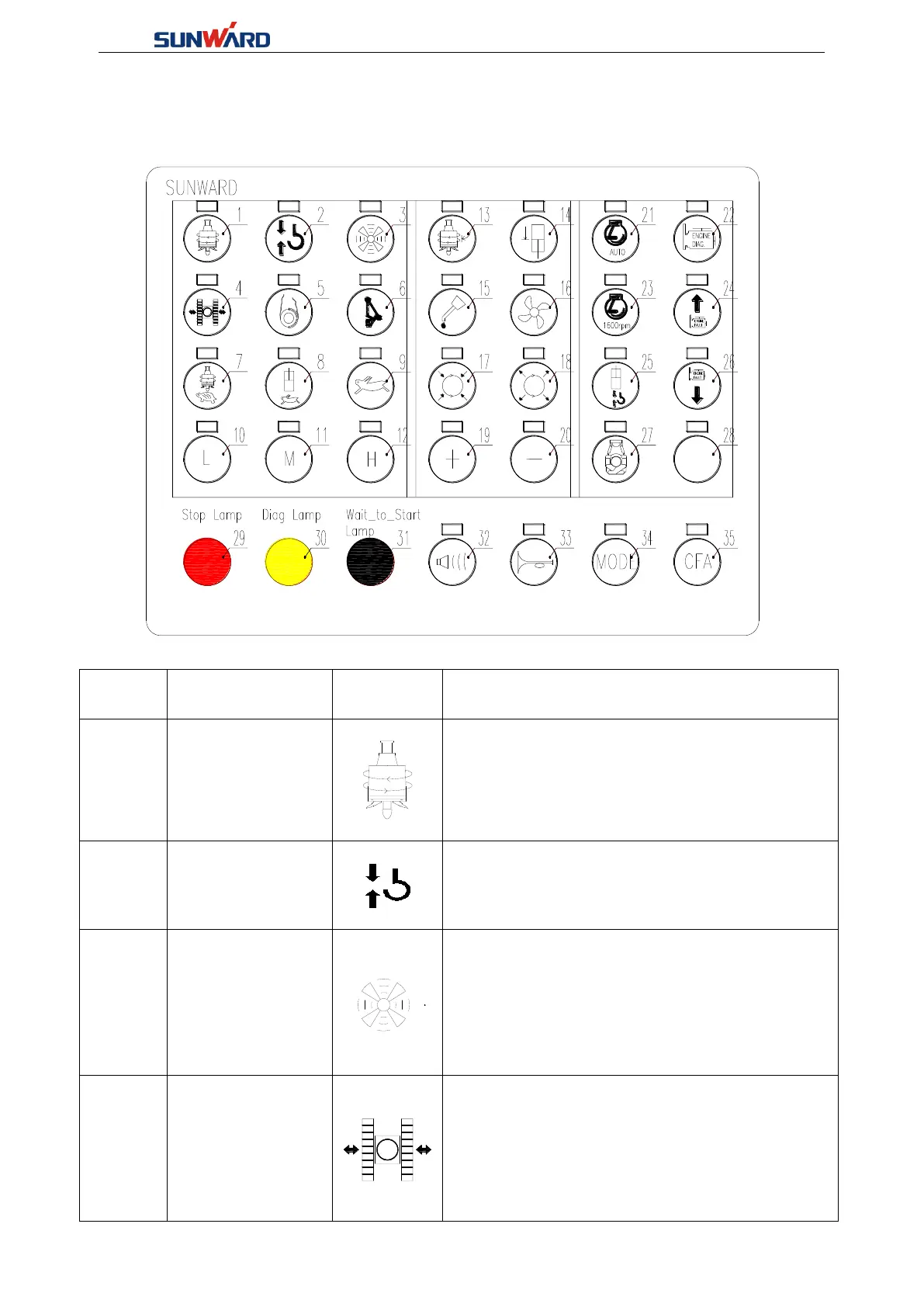
3.2.2 Membrane Key Panel
Exchange machine work mode
Main winch
floating switch
Press down this switch, then tread down the
floating pedal switch to enable the floating
function.
Manually turn on the hydraulic oil cooling motor
★Notice: When the oil temperature exceeds
50℃,the system shall automatically start the
hydraulic oil cooling motor.
When “Button 1-Working switch”is disconnected:
"Button 4—Crawler extension switch” is
connected, push right pilot handle leftward to
retract the crawler. Push right pilot handle
rightward to extend the crawler.



 To Next Page