SWDM320HB OPERATOR’S MANUAL
3.2.1 Operating Interfaces of Display Screen
3.2.1.1 Main Interface
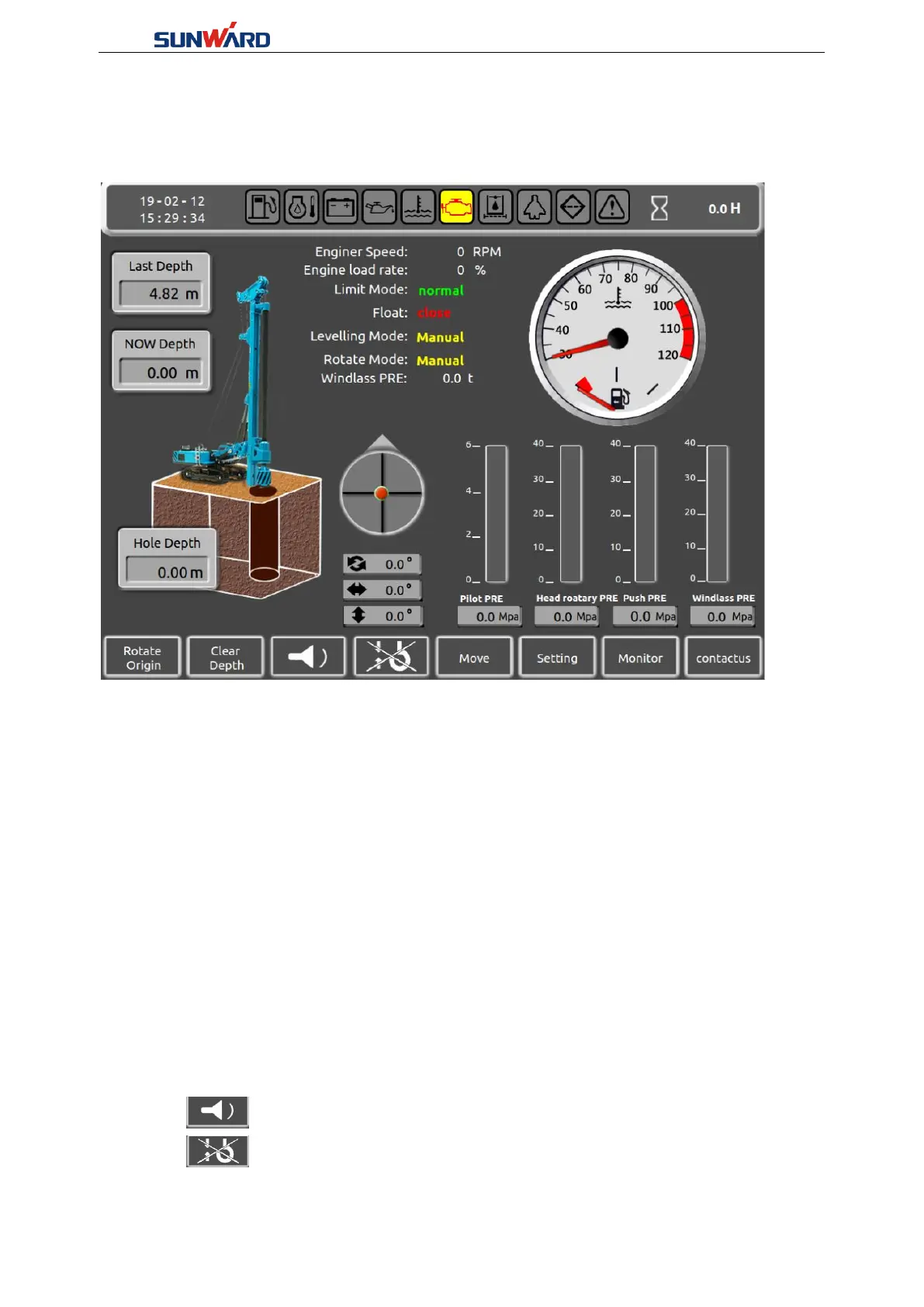
Figure3.2.1-1
The operator sets to this interface showing on the display screen when working. This interface
contains the main parameters of the rotary drilling machine in operation. Screen can display the
current the right angle of drill pipe in attitude angle(X) and the inclination angle (Y) degrees,
real-time display values for the turning angle at the same time, the last hole depth, the current
depth, drill tube depth, water temperature, engine speed, engine load rate, limit mode, the
floating state, leveling, rotary, rotary head pressure, system pressure, pressure of main winch,
the forerunner pressure value, etc.
Click "rotation in situ"(Key 1) to reset the current rotation angle, and set the current rotation
angle as zero; When the rotary drilling rig is working, set the current drilling position to zero.
After turning and throwing the soil, press the lower key of left handle, and the platform will
automatically turn and reset. As long as it returns to zero, it means that it has returned to the
drilling position. The precision error of the rotation angle is controlled within 0.1, and the rotary
control precision is high.
Click "clear depth"(Key 2) to set the current depth to zero; When the ground height of the rotary
digging and drilling work site is not the same, the drill bit can be conveniently adjusted by this
press group. Put the drill bit on the ground and press the button to set the current depth to zero.
Click" "(Key 3) to turn off the buzzer.
Click" "(Key 4) , floating function of the main winch: icon is displayed with "×",
that means display screen control floating function close to realize floating function need to film



 To Next Page