93
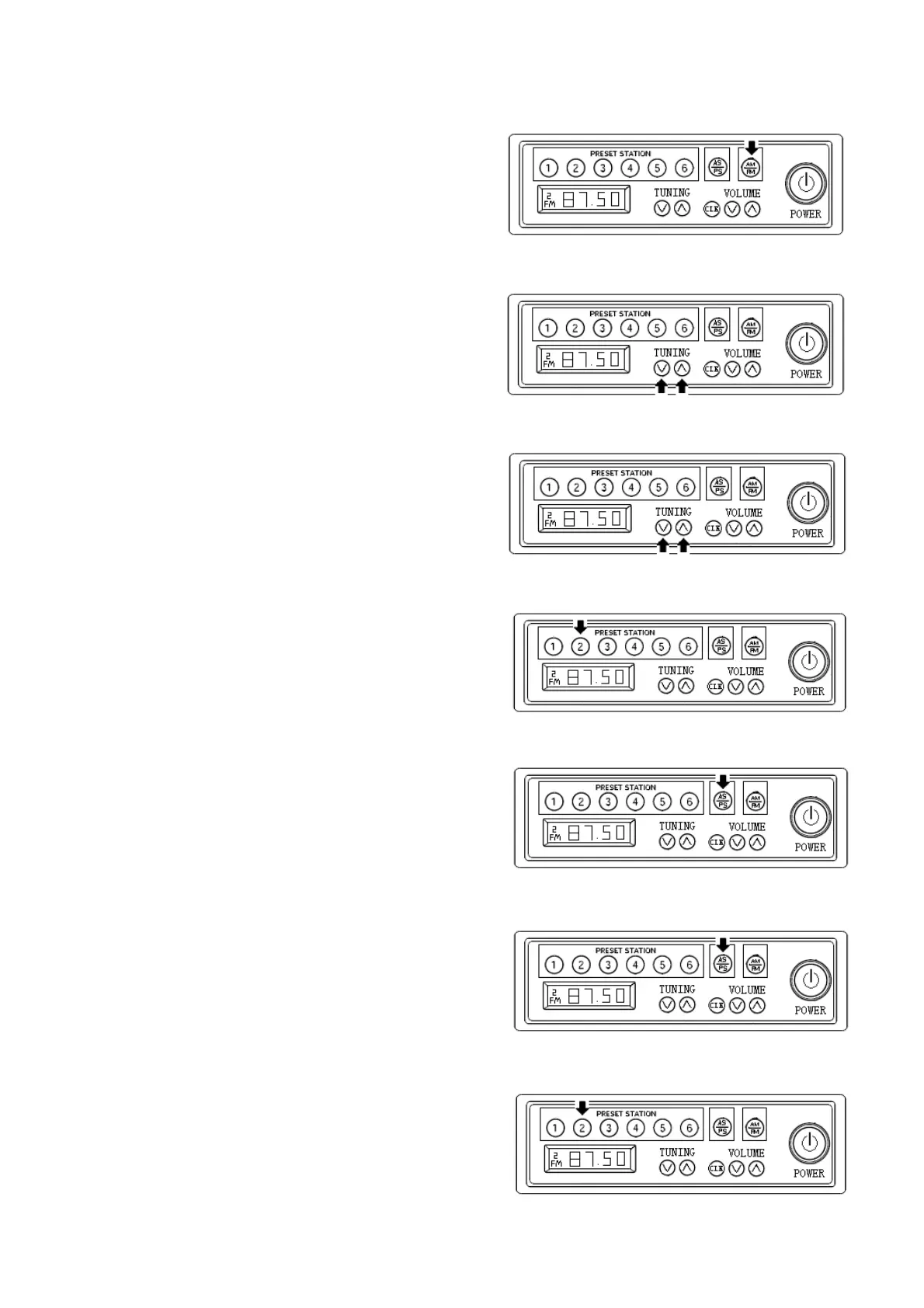
AM/FM :
Pressing key “FM/AM” allow you to
change band. The band cycles in the sequence
given: FM1/FM2/FM3/AM1/AM2/FM1.
Manual tuning:
Short pressing the key “ ”∧ 和“ ”under ∨
“TUNING” allow for manual tuning upward or
downward.
Auto-tuning:
Press on the key “ ”∧ 和“ ”under ∨
“TUNING” for longer than 0.5 seconds to
allow the radio receiver to auto-tuning until a
radio station is pick up, then it will restore this
station for listening.
Restore radio station:
After radio stations are picked up by
manual tuning/auto-tuning, press station
preset key M1 M6 for longer than 2 seconds. ∽
The current frequency being listened will be
restored in corresponding place. 6 stations for
each band, 30 stations total.
Auto-tuning and restore radio station: the
key AS/PS is pressed for longer than 1 second,
searching upward from current frequency. The
radio stations being picked up will be restored
to station preset position.
Brief listening to station presets:
Pressing the key AS/PS for less than 1
second will allow you to have a brief
listening for all preset stations for 5 seconds.
During the process of brief listening,
pressing the key again will stop the listening
to current station.
Pick up radio stations:
Short pressing the station preset key for
less than 2 seconds will allow for listening
corresponding preset station.



 To Next Page