102
Automatic running
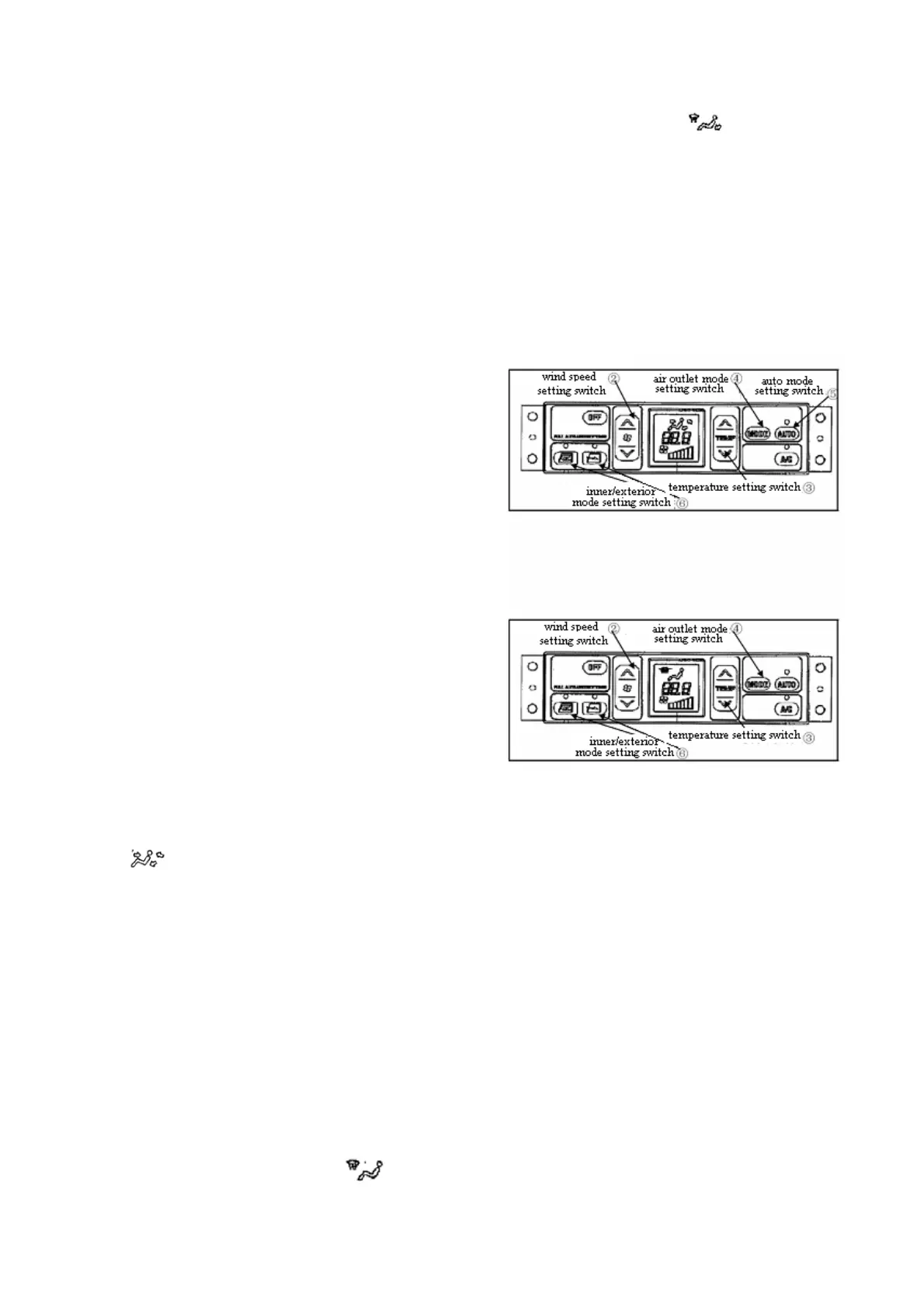
When switch 5 is turned on, temperature and input
air will be displayed on the screen, and the lamp
above switch 5 and 8 will be lighted.
Manual control running
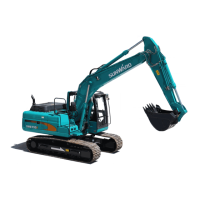
1. Press wind speed setting switch 2, and adjust the
input air, in addition, confirm the temperature and
input air through display screen.
2. Judge the switch 8 whether is turned on through
the lamp above the switch.
3. Set proper temperature through switch 3.
4. Set needed air outlet through switch 4.
5. Choose needed inner/exterior air-in mode
through switch 6.
Manual control stop
Press close button 1, temperature and input air will
be disappeared on the screen, and the lamp above
switch 8 will be turned off, running will stop.
Cool head & warm foot mode
1. Press switch 2 to adjust input air, and confirm the
temperature and input air through display screen.
2. Press switch 4 to choose air outlet mode,
will display on the screen.
3. Make sure that switch 8 is “on” state, and confirm
it through the lamp above the switch.
4. Adjust switch 2, 3 and 6 to proper position.
Remark: when cool wind blows towards head ,and
warm wind blows towards foot, then the conditioner
is under cool head & warm foot mode.
Defrosting running
1. Press switch 2 to adjust input air, and confirm the
temperature and input air through display screen.
2. Adjust switch 4, and make
display on
the screen, then switch it to
.
3. Choose exterior air-in mode through switch 6.
4. Adjust switch 3, temperature is set to 32
centigrade (maximum heating).
Remarks: to keep the wind blow towards the
window, adjust the position of louver board of the
air outlets. On raining day, if mist is on the window,
or you need dehumidification, please open switch 8.



 To Next Page