70
In this interface:
(1) Display machine mode、machine code、controller code、indicator code and software
version。
(2) Press F1 go back to system menu interface。
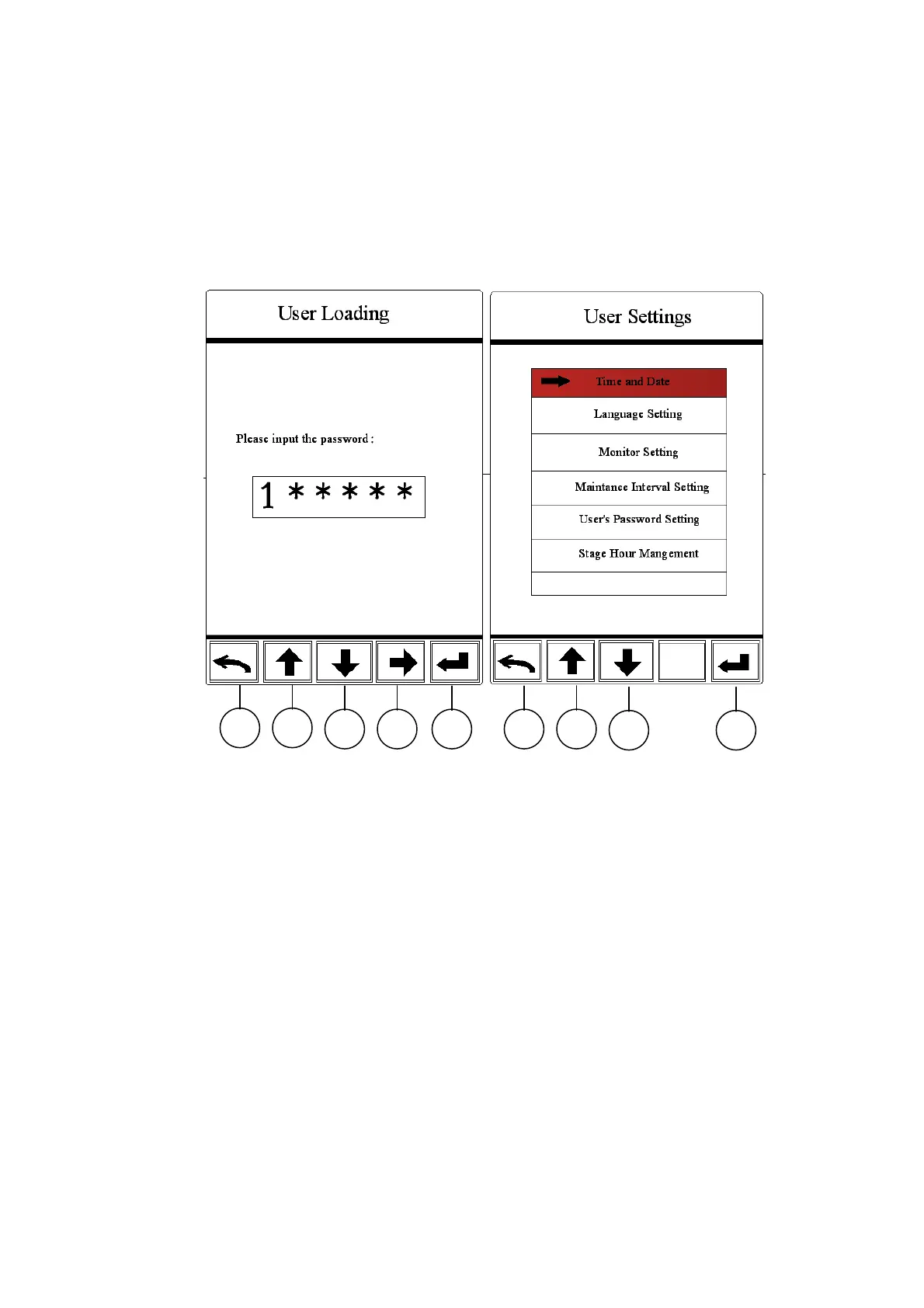
3.2.5.10 User setting interface
Via to user setting interface, input correct password and then enter into user interface, in
this interface:
(1) In user setting interface, use F2 and F3 to input password, F4 used for selecting
password digit capacity。
(2) User setting interface is including clock setting 、language setting、display setting 、
maintenance interval time setting、amend user password and stage hour management
(3) Press F2 and F3 used select menu, press F5 enter into the selected menu.。
F1 F2
F3 F4 F5 F1 F2
F3 F5



 To Next Page