4.2 RECONFIGURE YOUR DVR
Go into the main MENU and run the FACTORY DEFAULT, CLEAR HARD DRIVE, and set SYSTEM TIME. Set OVER-
WRITE, MOTION DETECTION and RECORD settings.
1. FACTORY DEFAULT
2. CLEAR HARD DRIVE
3. SYSTEM TIME
4. OVERWRITE
5. MOTION DETECTION
6. RECORD SETTINGS
BASIC MENU SETUP
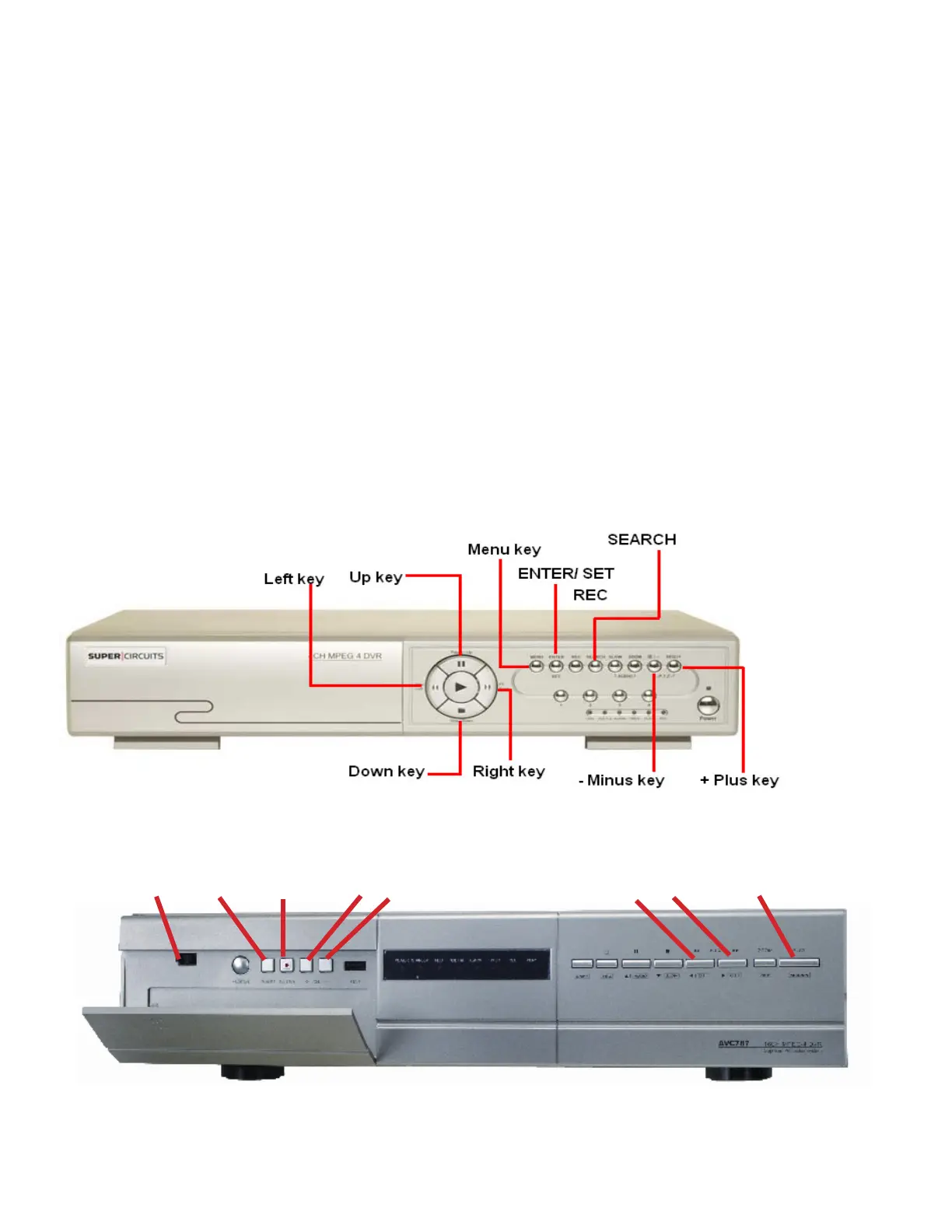
1. Press the MENU key on the front panel to login. The Menu allows you to confi gure your digital video recorder (DVR)
settings.
2. Use CH. SELECTORS 1 ~ 16 to key in the password.
Power
Menu
Left, Right keys Search
Up, Down keys
Enter key Plus +, Minus - keys
DMR 4, 8, 16 RT
DVQ-2
20



 To Next Page