7.22 Operation via IE Browser
You can view the images or operate your DVR using a IE (Internet Explorer) web browser.
Note: Operating systems that support Video Web Server Browser are Windows 2000 and Windows XP.
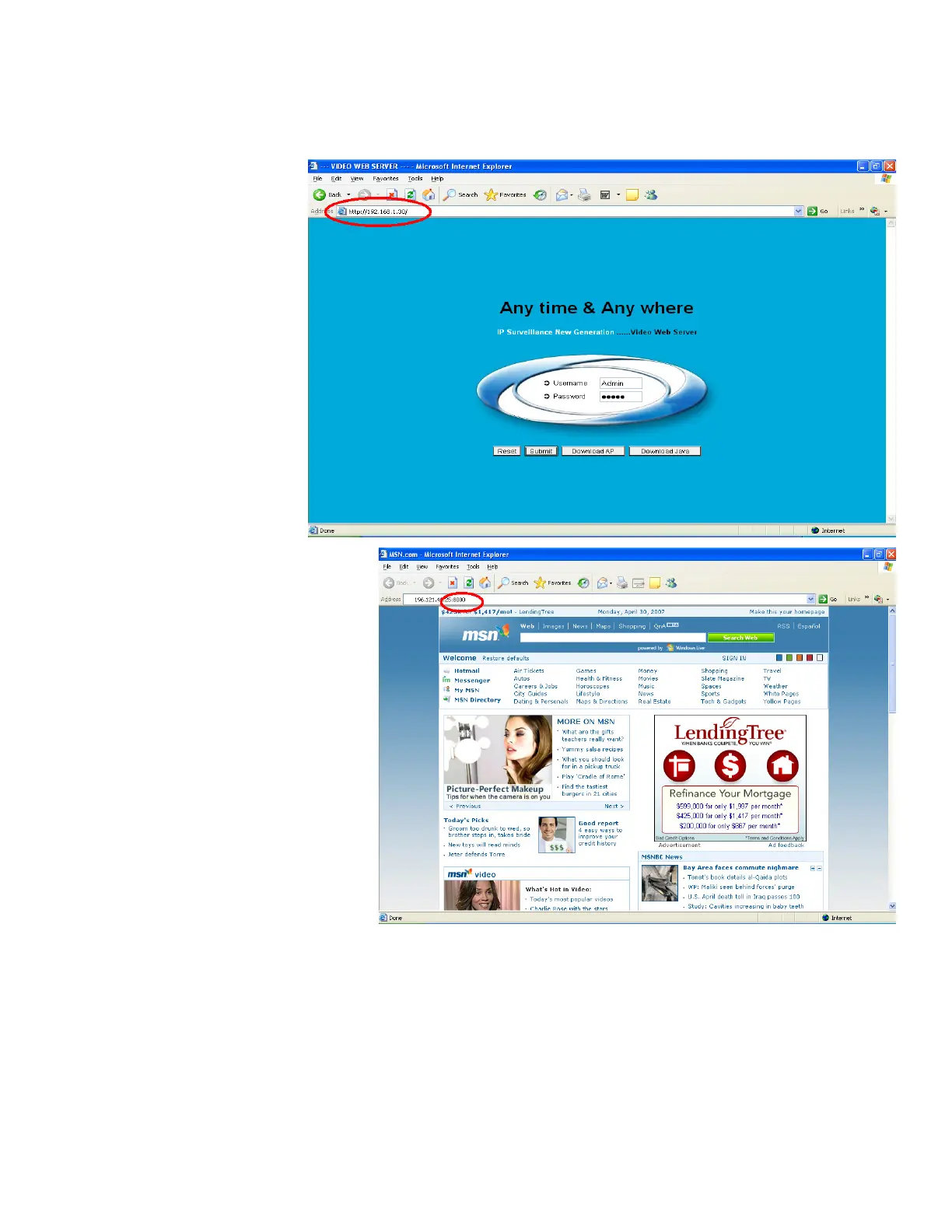
1. Go to your Internet Explorer and
type in your DVR IP address in
the URL address box and press
Enter.
2. Enter your DVR Username and
Password. If you have not made
any changes to the Admin
Username or Password, type
Admin in for the Username and
Admin for the password. Press
the enter key.
3. If your DVR is using a different port
number other than port 80, you will need to
key in the port number in addition to the IP
address. For example: Using port 8000 for
this example. Press the enter key.
64



 To Next Page