7.5 Remote Video Server Login Panel
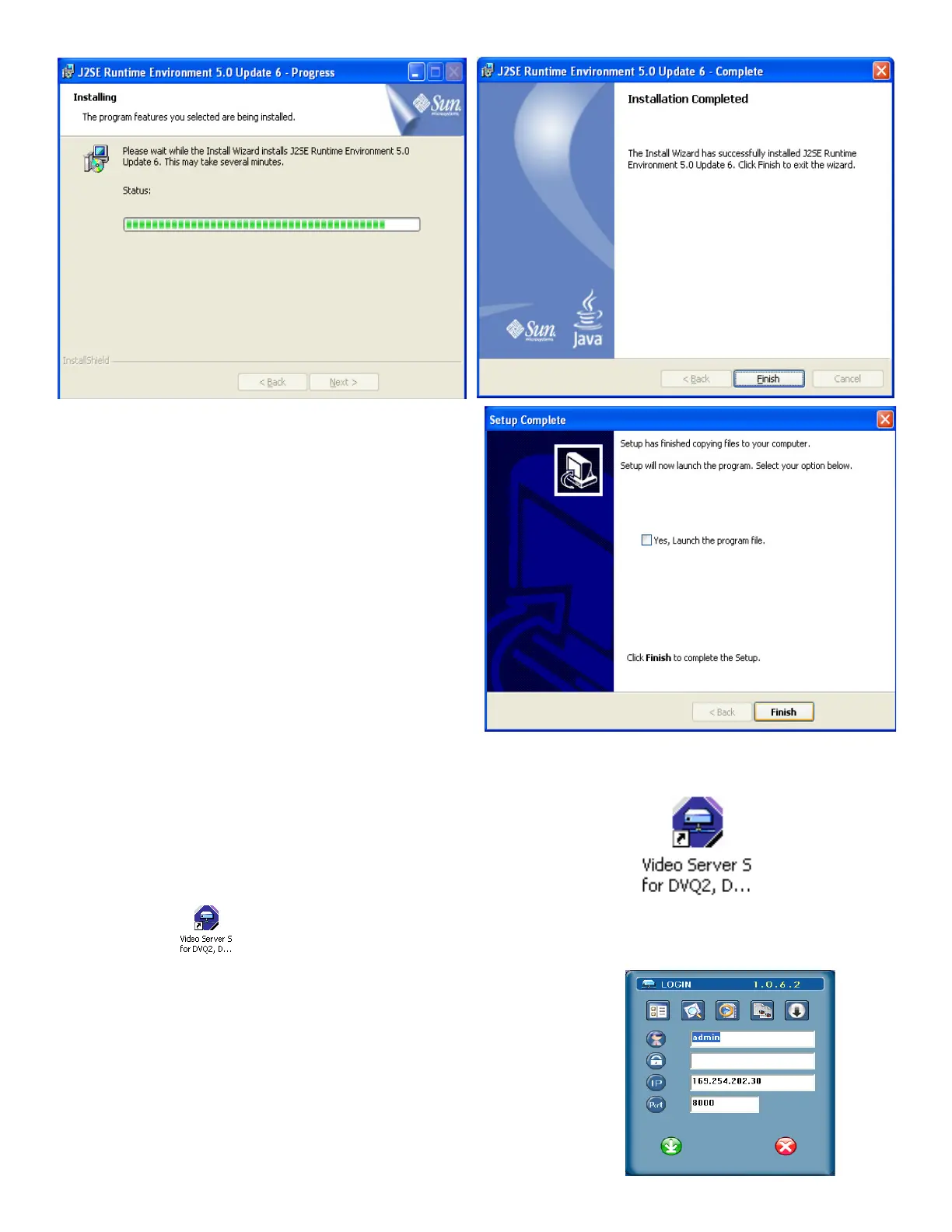
2. After setup, you will see the Video Server S shortcut icon on the desktop. For the latest AP software updates, please
check with your distributor.
3. Double click “ “ (Video Server ) on your PC to enter the login page. Key in IP address (192.168.1.10),
username (admin), password (admin) and port (8000) in the login page.
NOTE: Factory default user name is ADMIN, Password is ADMIN.
51



 To Next Page