17
7. CHANGING RIDING MODES
Each bike comes with 4 Pedal Assist Modes and 4 Speed Levels accessible via the SUPER73
App, so you can customize your riding mode to your terrain.
The bike defaults to Mode 1 (EPAC) in Europe and the UK. It is the rider’s responsibility to
follow local E-Bike regulations. Be sure you are up to date with your local motor vehicle
codes.
You can find links to more information on e-bike regulations in the Legal Requirements
section on pg. 8 of this handbook.
TIP
8. TURNING OFF THE E-BIKE
• When you are done riding your SUPER73, it is important to turn
off the power properly.
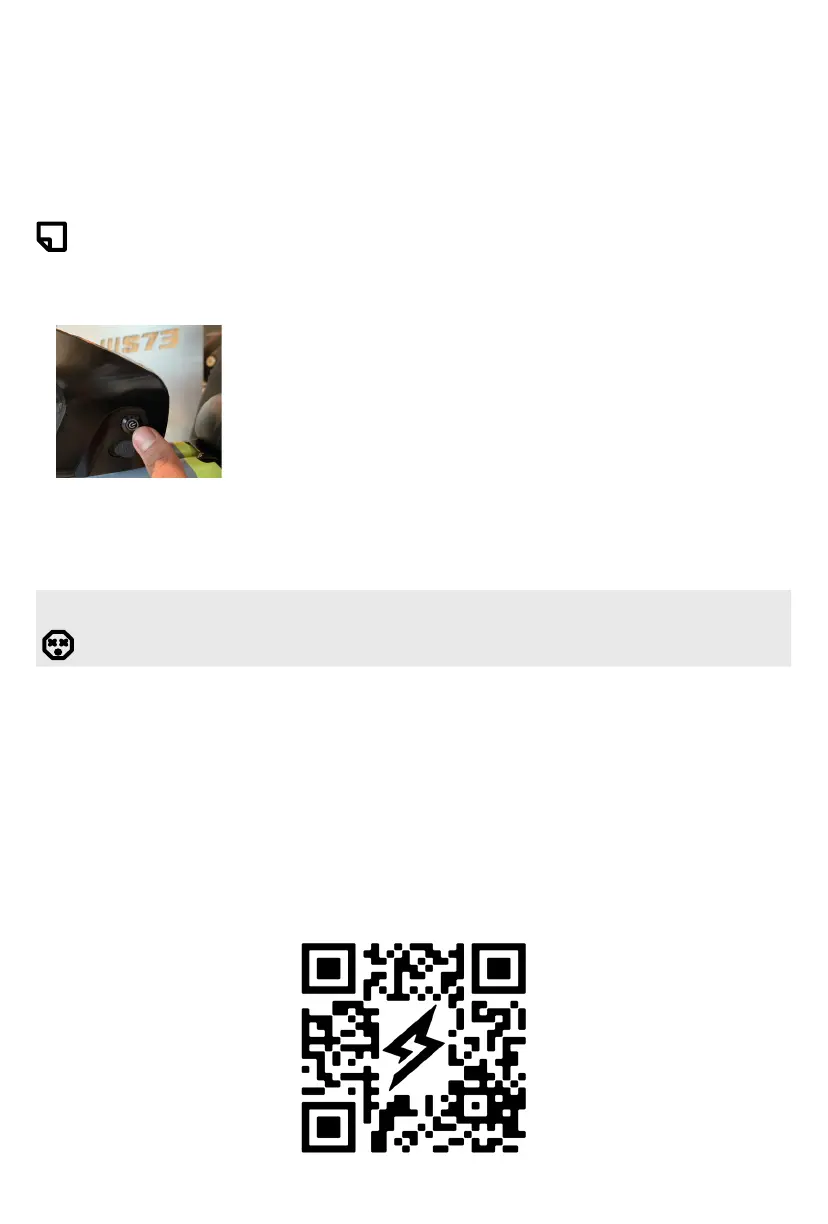
• Turn off the e-bike by pressing the power button on the battery.
The light on the power button should turn off when properly
powered down. The e-bike will automatically shut off when left
idle for more than 5 minutes.
• You can charge the battery while it’s on the SUPER73, or by
removing the battery from the mount and charging it separately.
SUPER73 APP
DANGER! Never ride your e-bike and adjust settings on your app while the e-bike
is in motion. Pull over and practice safe riding. Operating your e-bike and the app
simultaneously, will give rise to a risk of injury, death and/or property damage.
Scan the QR code to download the SUPER73 app!
IN EUROPE / MODELS WITHOUT THROTTLE
Please check our website for instructions or ask your dealer.
For more information on using the SUPER73 App, please refer to the SUPER73 App page
https://eu.super73.com/pages/mobile-app?_pos=2&_psq=app&_ss=e&_v=1.0 on our
website.
Additional Terms and Conditions will apply to use of the SUPER73 App.


 To Next Page