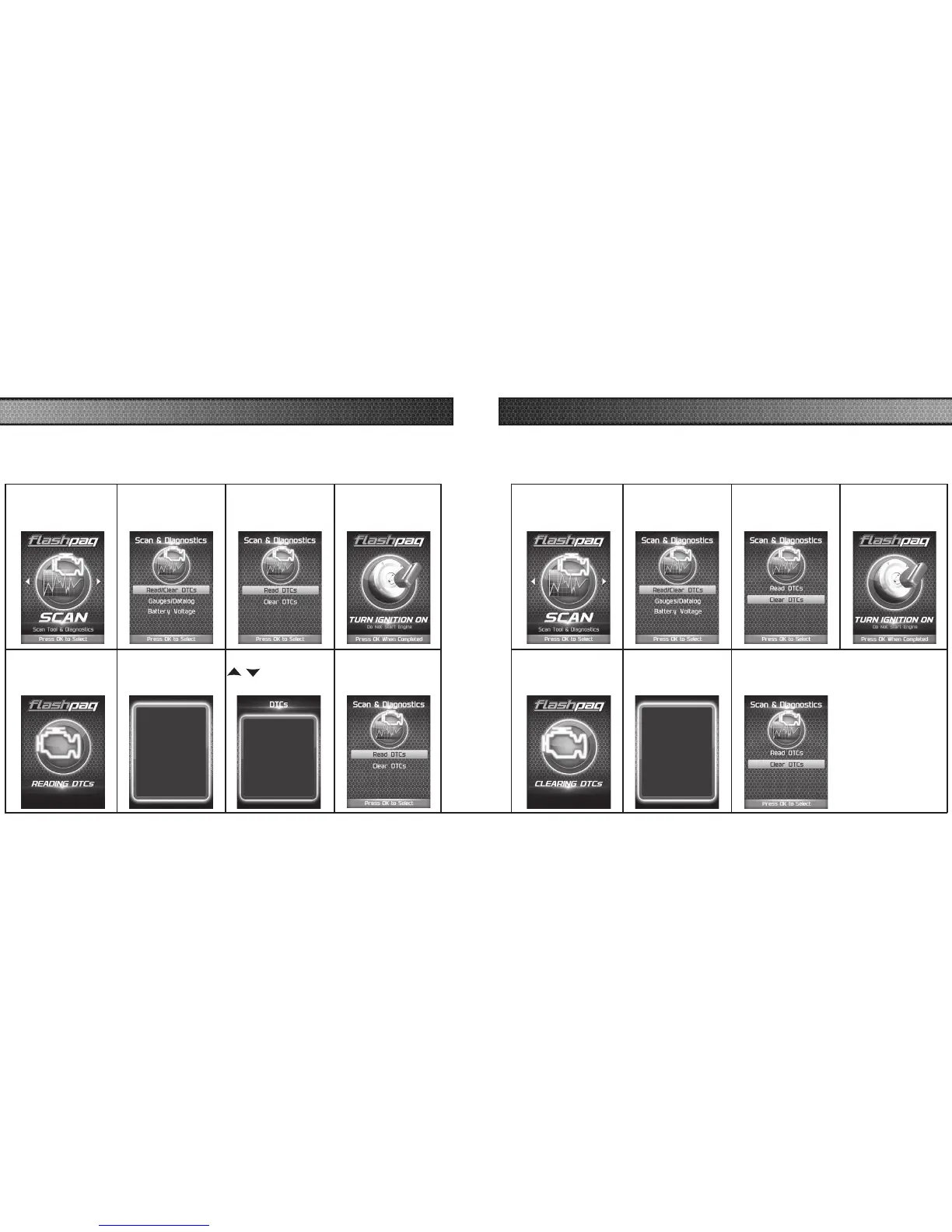
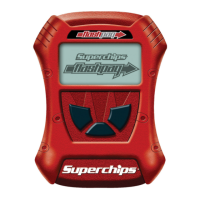
READ DTC
This feature allows you to troubleshoot issues that your vehicle may be experiencing. Most
vehicles will illuminate the in-dash check engine light. A Diagnostic Trouble Code (DTC) arises
when a vehicle’s computer detects a sensor failure or a parameter outside of specic range.
CLEAR DTC
This feature allows you to clear the DTC and turns off the check engine light.
NOTE: If a DTC persists, this could indicate a vehicle malfunction. We recommend seeking a
qualied professional in resolving the issue. Program the vehicle back to stock prior to service.
STEP 1 - Enter the
Scan Menu.
STEP 2 - Select
Read/Clear DTCs.
STEP 3 - Select
Read DTCs.
STEP 4 - If asked,
turn ignition on,
but do not start.
STEP 5 - Allow the
device to search for
DTCs.
STEP 6 - Read and
follow the on-screen
instructions.
Pressing UP or DOWN
will cycle through the
DTCs
Pressing OK or LEFT
will exit
Press OK to Continue
STEP 7 - Push the
/ arrows to
view each DTC.
DTC - 1of2
P0090
Fuel Pres Reg Ctrl Circ
STEP 8 - Press OK
to return to the
DTC menu.
STEP 1 - Enter the
Scan Menu.
STEP 2 - Select
Read/Clear DTCs.
STEP 3 - Select
Clear DTCs.
STEP 4 - If asked,
turn ignition on,
but do not start.
STEP 5 - Allow the
device to search for
DTCs to clear.
STEP 6 - Read and
follow the on-screen
instructions.
Vehicle DTCs
Successfully Cleared
Press OK to Continue
STEP 8 - Press OK to return to the DTC
menu.



 To Next Page