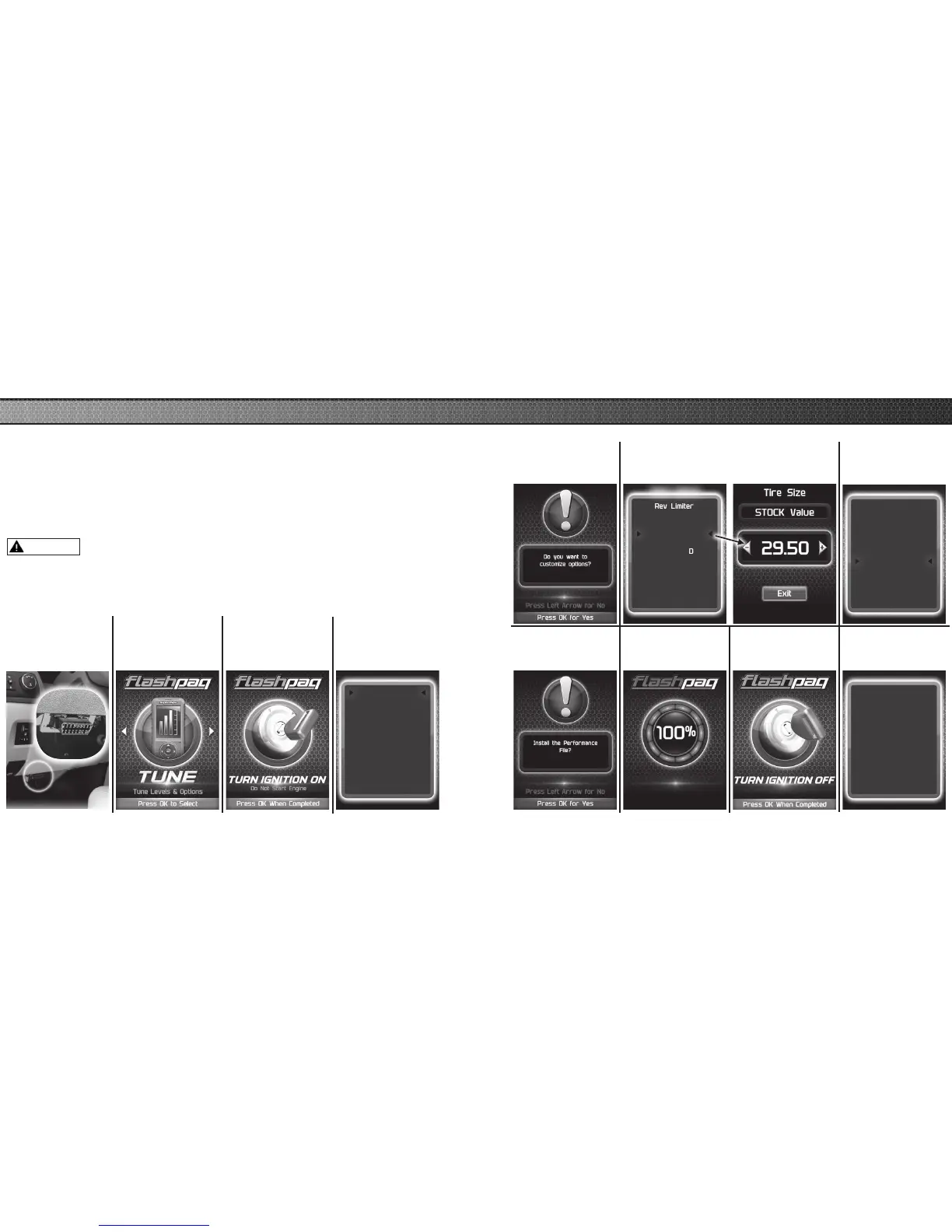
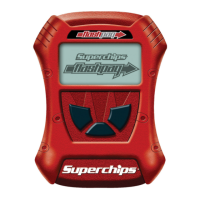
Change the power level of your vehicle using custom options and settings.
NOTE: Not all features are available on every make, model, and engine.
NOTICE:
Do not remove or bump the OBD-II connector during any programming
sequence. If you do, the vehicle may not start.
Do not program your vehicle while parked in unsafe locations
including heavy trafc or places without cell phone service.
STEP 2 - Enter
the Tuning Menu
by pressing OK.
STEP 3 - Follow
the on-screen
instructions.
STEP 4 - Select a
tuning level.
Select Tuning
Performance
Tow
87 Octane
Mileage XS SAVE
Stock w/ Options
STEP 5 - Press
OK to customize
options.
STEP 6 - Select and adjust the
custom option according to your
specic requirements.
STEP 1 - Plug
the device into
the OBDII port.
Rev Limiter
Speed Limiter
Gear Ratio
Tire Size
Fan Temp
AFM / DOD
Continue
Select Options
STEP 7 - Select
Continue when
done modifying.
Rev Limiter
Speed Limiter
Gear Ratio
Tire Size
Fan Temp
AFM / DOD
Continue
Installing Engine
Performance Tuning
is now Installed
Press OK to Continue
STEP 8 - Press
OK to install the
le.
STEP 9 - Allow
the le to be
installed.
STEP 10 - Turn
the ignition Off.
STEP 11 - Press
OK to return to
the main menu.
WARNING
14
15
ADVANCED TUNING OPTIONS



 To Next Page