ENJOYING YOUR HOT TUB OR SWIM SPA
| 29
Overview
For a more detailed interface manual please visit the
Gecko website and select the IN.K500 control panel.
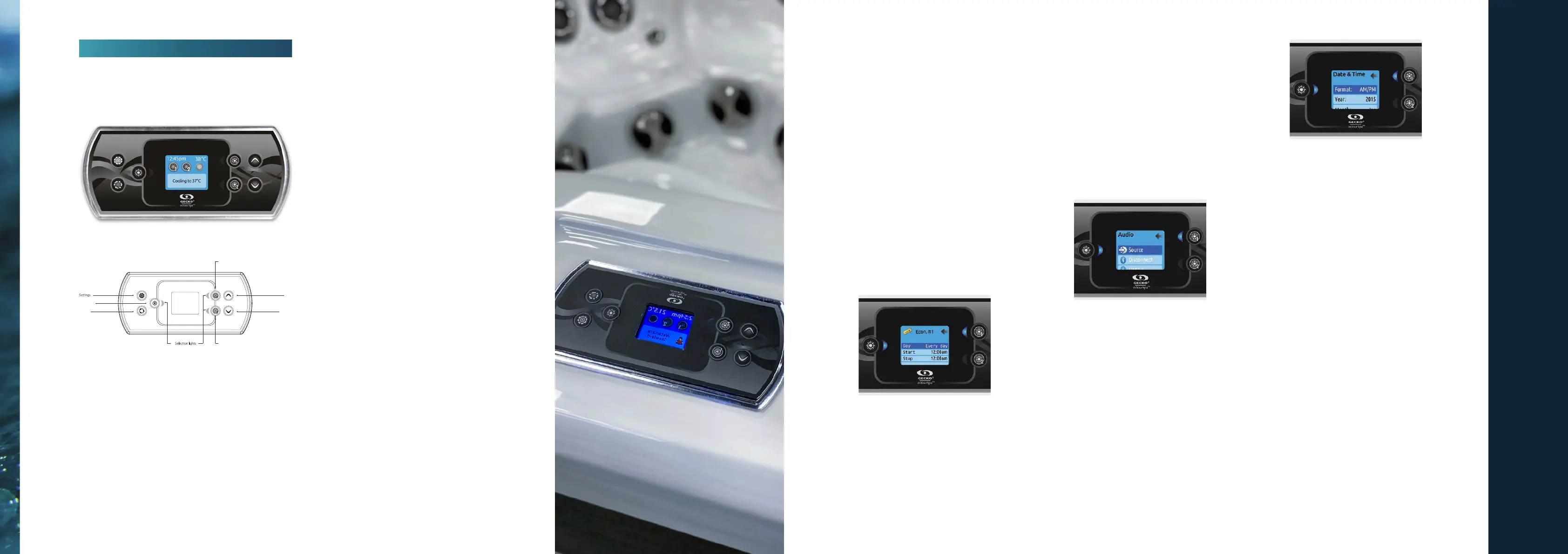
Descripon
*Funcons for keys 1 and 2 will depend on your system’s low
level conguraon.
Sengs
From the home page you can access the Sengs,
where you will nd:
• Water Care
• Heat Pump (if installed)
• Audio (if installed)
• in.clear-200 linked (version 13.00 and higher)
• Standby (version 6.00 only)
• Maintenance (version 7.00 and higher)
• Date & me
• Keypad
• Wi-Fi (Version 7.00 and higher. Only available on in.touch with
soware 11.00 and higher as an oponal Extra)
• Cong *
• Restore *
• About
Use the arrow keys to move up and down in the list.
To select an opon, press the lit buon beside it (Light
buon). At any point you can press the Sengs buon
to return to the home screen.
*Reserved for qualied electricians installers
Water Care
The Water Care secon will help you set up your
ideal ltraon and heang sengs. Choose a mode
depending on your need.
Use the Light key to choose your seng. A check mark
will appear on the selected icon to conrm.
In Economy mode, the set point will be reduced by
20°F*, which means that the heang system will not be
engaged unless the temperature falls to 20°F below the
spa’s set temperature.
*Default pack value
Gecko In.K500
Light Key
Mode
Up
Key 1
Down
Key 2
Water Care Modes
Away:
In this mode the spa will always be in economy; the
set point will be reduced by 20° F*.
Standard:
The spa will never be in economy mode and
will be ltering according to the pack’s low level
conguraon.
Energy Savings:
The spa will be in economy mode during the peak
hours of the day and resume normal mode on the
weekend*.
Super Energy:
The spa will always in economy mode during peak
hours, every day of the week*.
Weekender:
The spa will be in economy mode from Monday to
Friday, and will run normally on the weekend*.
Modifying Schedules
Use the arrow keys to scroll through the Water
Care selecons. To see and/or modify a Water
Care category, use the lit buon to the right (key
1) to open the selected Water Care menu.
Use the arrow keys to choose a schedule to modify
(choice of economy and ltraon schedules). Use
the Light key to move between parameters.
You have several possibilies for the schedule
(Mon-Fri, weekend, every day, or single days). The
schedules will be repeated every week. The me
and duraon are set in 30 minute increments.
Once you have set the schedule, use Key 1 to go
back. Ensure that you have selected the desired
Water Care opon in the main Water Care menu.
If your spa uses a circulaon pump congured
to run 24 hours, the screen will show you the
purge seng instead of ltraon. The purges are
pre-programmed for a xed number of minutes,
therefore the duraon will be set to N/A on the
screen, and only the start me can be modied.
Audio
Press the Mode key to access your in.tune. The
Audio secon in the Sengs menu gives you the
opon to disconnect or unpair your Bluetooth
enabled device.
With version 7.00 and higher, it is also possible
to select Source to use a device connected by
auxiliary cable or Bluetooth wireless connecon.
The Audio opon will only appear in the menu
for keypads that are set up for an in.stream
connecon. The in.stream 2 is automacally
detected at power-up.
Date and Time
Here you can adjust the me format, change the
year, date and me. Use the arrows to choose the
seng that you want to adjust, and select it by
pressing the Light key. Use the arrow buons to
change the parameters, and the Light key to move
between parameters.
Key 1 will take you back to the main Sengs menu.
Note: In version 6.00 and earlier, only the day of the week can be
changed, and not the year or date.


 To Next Page
 Loading...