12
SuperServer E200-9A User's Manual
Quick Reference
Jumper Description Default Setting
JBR1 BIOS Recovery Pins 1-2 (Normal)
JBT1 CMOS Clear Open (Normal)
JI2C1/JI2C2 SMB to PCI-E Slots Enable/Disable Pins 2-3 (Disable)
JPG1 VGA Enable/Disable Pins 1-2 (Enabled)
JPL1 LAN Enable/Disable Pins 1-2 (Enabled)
JPME2 ME Manufacturing Mode Pins 1-2 (Normal)
JWD1 Watch Dog Enable Pins 1-2 (Reset)
Connector Description
BT1 Onboard Battery
COM1 COM Header
FAN1 – FAN3, FANA System/CPU Fan Headers (FAN1: CPU Fan)
IPMI LAN Dedicated IPMI LAN Port
I-SATA0 – I-SATA3 Intel SATA 3.0 Ports (I-SATA0 supports SuperDOM)
JD1 Speaker Header
JF1 Front Control Panel Header
JGP1 General Purpose I/O Header
JL1 Chassis Intrusion Header
JMD1 M.2 PCI-E 3.0 x2 / I-SATA Slot (Not available on -2C model)
JPH1
4-pin Power Connector for HDD use (To provide power from the motherboard to
onboard HDD devices)
JPI2C1 Power Supply SMBbus I2C Header
JPV1
4-pin DC Power Connector (To provide alternative power for special enclosure when the
24-pin ATX power is not in use.)
JPW1 24-pin ATX Power Connector
JRT3 Thermal Diode 1 Header
JRT4 Thermal Diode 2 Header
JSAS1 I-SATA Ports 4-7
JSAS2 I-SATA Ports 8-11 (Not available on -2C/-4C models)
JSD1 SATA DOM Power Connector
JSMB1 SMBus Header
JTPM1 Trusted Platform Module (TPM)/Port 80 Connector
JTGLED1 LAN3/LAN4 Front Activity LED
JTPM1 Trusted Platform Module/Port 80 Connector
LAN1 – LAN4 Gigabit Ethernet (RJ45) Ports
SLOT7 CPU PCI-E 3.0 x4 Slot
SRW1, SRW2 M.2 Holding Screws
UID Unit ID Button
USB0/1 Back Panel Universal Serial Bus (USB) 2.0 Ports
USB2/3 Front Accessible USB 2.0 Header

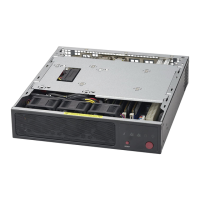
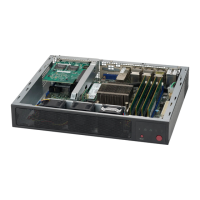



 To Next Page