27
3.1 Basic Setup
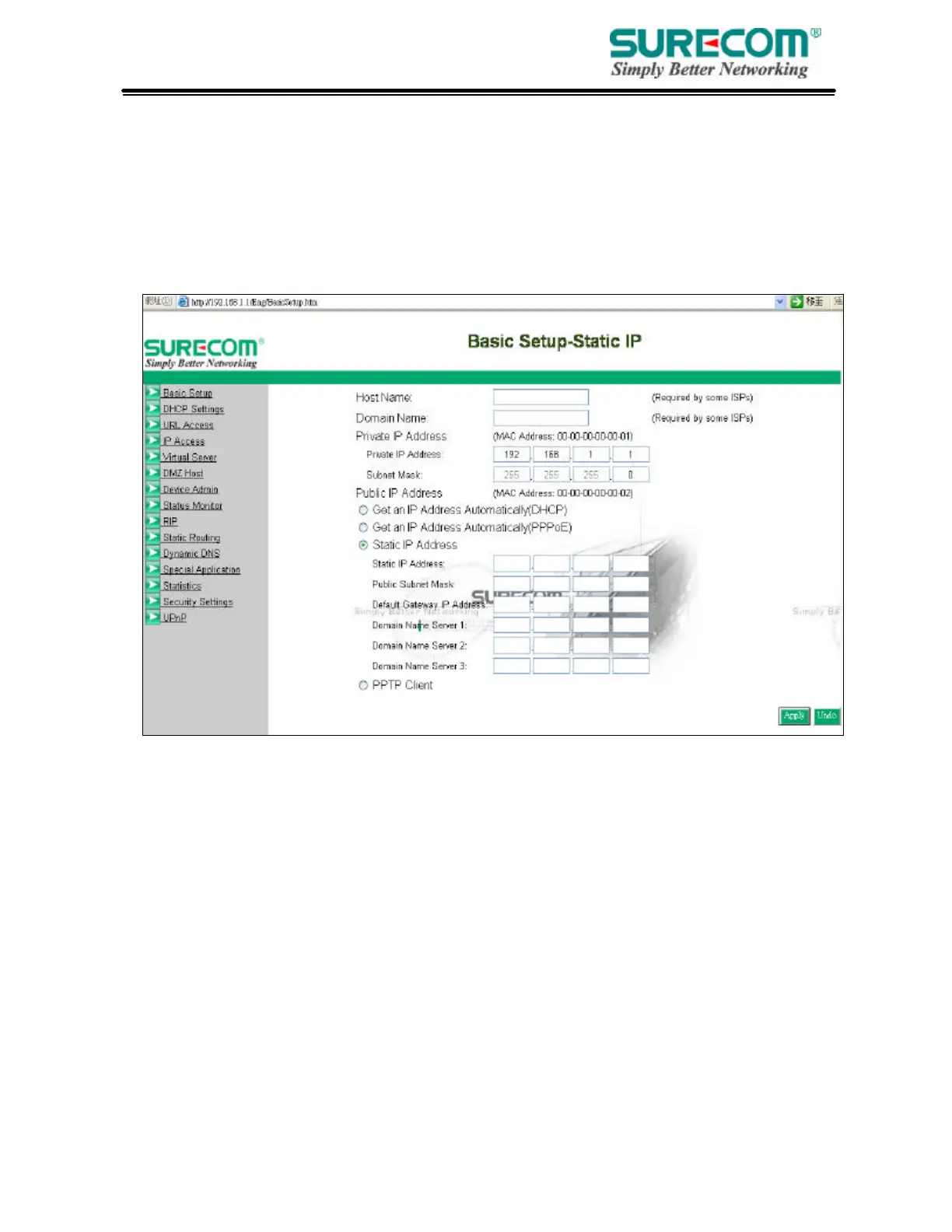
After enter user name and password, the configuration utility will show up. The first page is
“Basic Setup”. You can set up your connection type to your ISP. When finishing setting, click
“Apply” button to save. If you skip pressing “Apply” button, the system will reset automatically.
Note: After applying these settings, sometimes connection information is stored on the modem
and needs to be updated. You may need to shut down and restart your modem.
1. Host Name & Domain Name
Some ISPs required these names as identification. You may check with your ISP to see if
your Broadband Internet Service has been configured with a host and domain name (like
CX-1234-56789). In most cases, leaving fields blank will work.
2. Private IP Address
IP Address of this router used by the internal LAN. The default value is 192.168.1.1 for IP
Address and 255.255.255.0 for Subnet Mask. In most applications, you should not change
the “IP address” from the default (192.168.1.1). However, if you are implementing your
router into an existing network, you may need to change it to match your current addressing
scheme.



 To Next Page