42
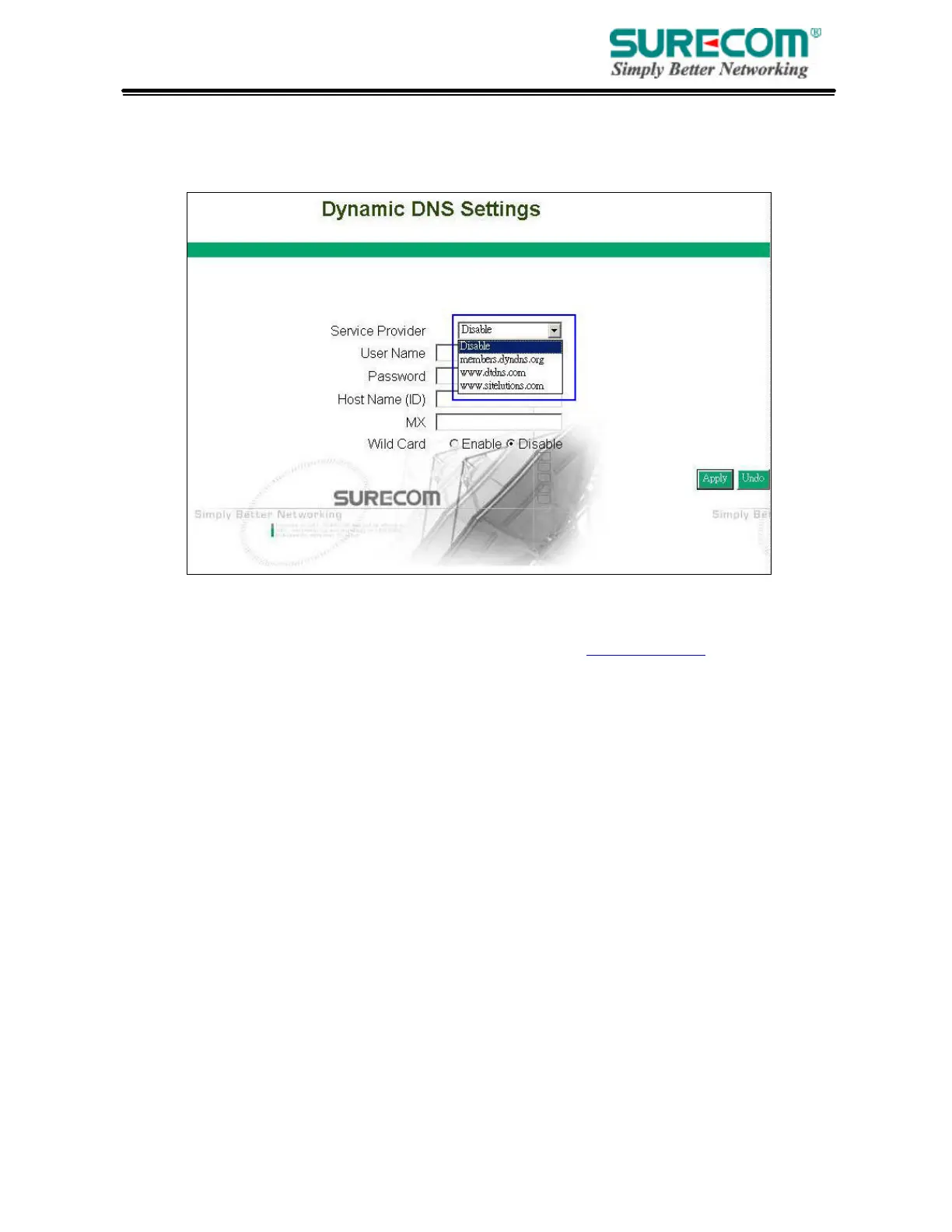
3.11 Dynamic DNS
DDNS keeps dynamic IP addresses (i.e., IP addresses assigned by a DHCP capable router or
server) linked to a domain name. Users who have a Dynamic DNS account may use this feature.
• Dynamic DNS: When an IP address is automatically assigned by a DHCP server, DDNS
automatically updates the DNS server. Select Disable or Enable.
• Service Provider: Before activate this function, please refer to www.dyndns.org to register your
DNS service.
• User Name: Enter your user name from your service provider.
• password: Enter your password from your service provider.
• Hostname: Enter the host name.
• MX: Enter your Mail Server’s domain name to enable. Or leave blank to disable.
• Wildcard: Select “Enable” or “Disable” to use or not use the wildcard function. Wildcard function
allows your domain name contains universal characters, i.e. *, ?.



 To Next Page