41
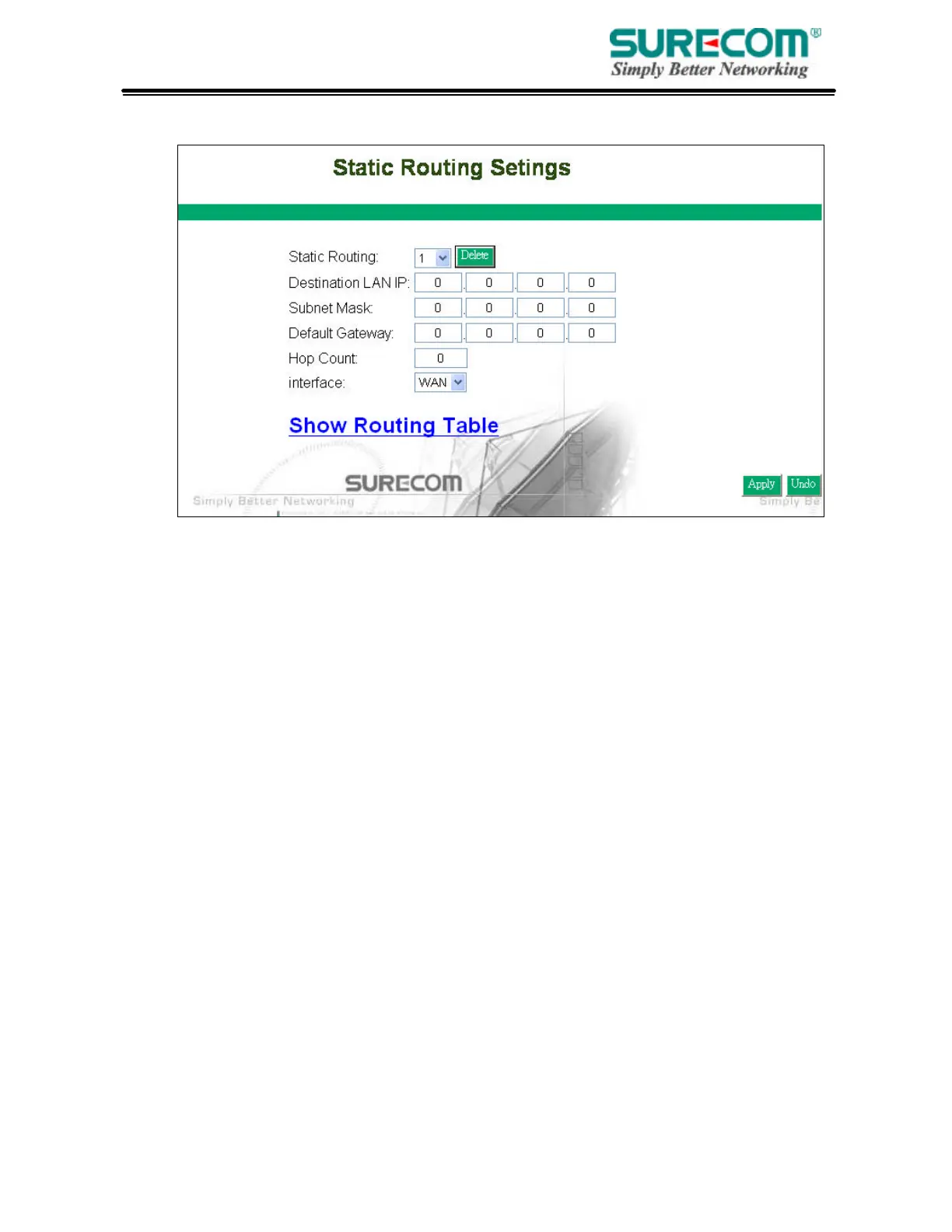
3.10 Static Routing
• Static Routing: Select the route entry number from 1 to 20 that you want to configure.
• Destination LAN IP: You can create a static route by entering the IP address of the remote host
or network. If you wish to build a route to the entire network, be sure to set the network portion of the IP
address to zero (0).
• Subnet Mask: The Subnet Mask determines which portion of an IP address is the network
portion, and which portion is the host portion.
• Default Gateway: Enter the address of the gateway device that allows for a contact between the
Router and the remote network or host.
• Hop Count: Enter the number of hops required between the LANs to be connected. The Hop
Count represents the “cost” of the routing transmission. The default value is 1.
• Routing Table: Click “Show Routing Table” to see update routing information.



 To Next Page