40
to set up static routing function.
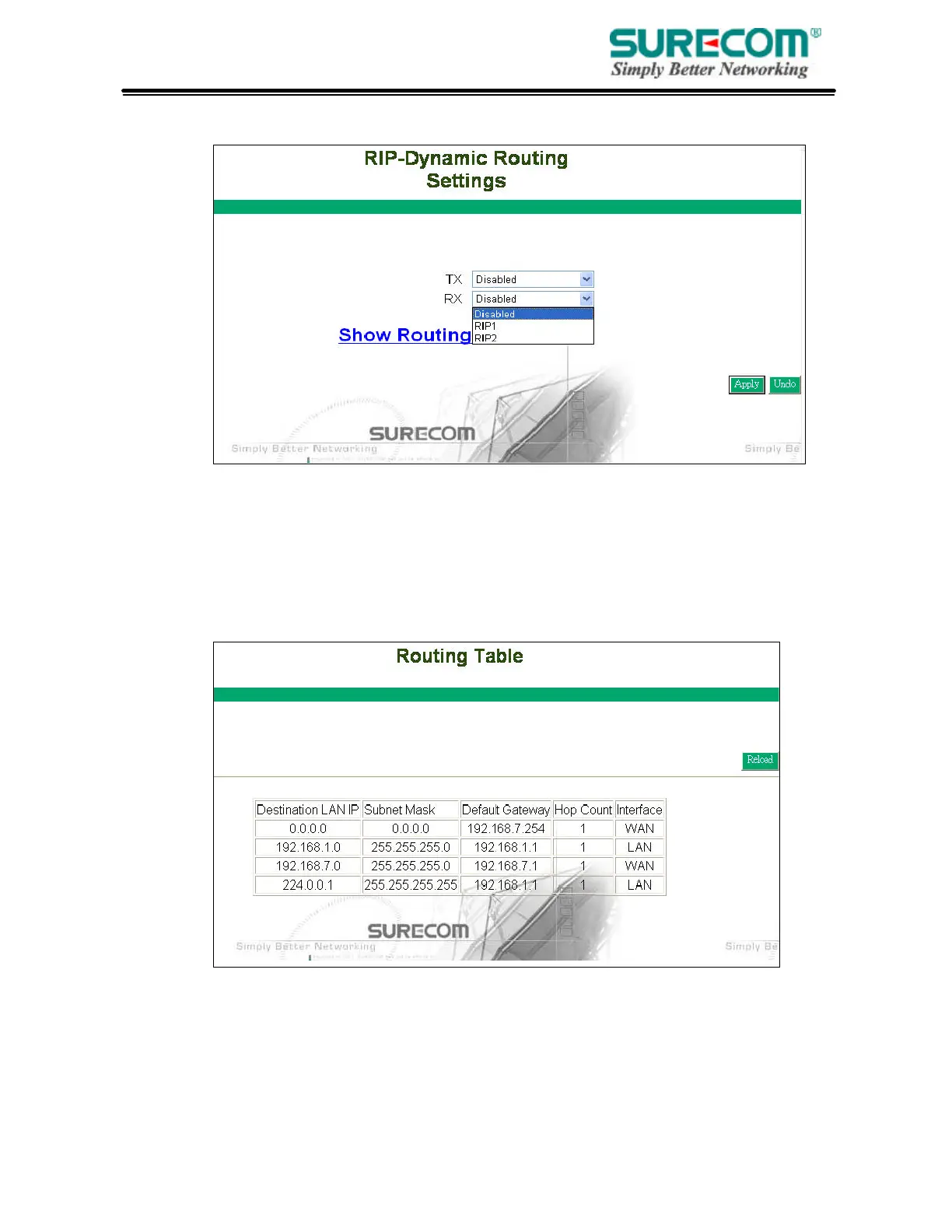
• TX: From the pull-down menu, select the routing type, “RIP-1”, “RIP-1 Compatible”, or
“RIP-2”, to enable the “TX(transmit)” function. “RIP-1” is the protocol used by order routers and
newer routers should use “RIP-2”. “RIP-1Compatible” serves to broadcast RIP-1 and multicast RIP-2.
• RX: Form the drop-down list, select one of the routing information types, “RIP-1” or “RIP-2”, to
enable the “RX(receive)” function.
• Routing Table: Click “Show Routing Table” to see update routing information.



 To Next Page