37
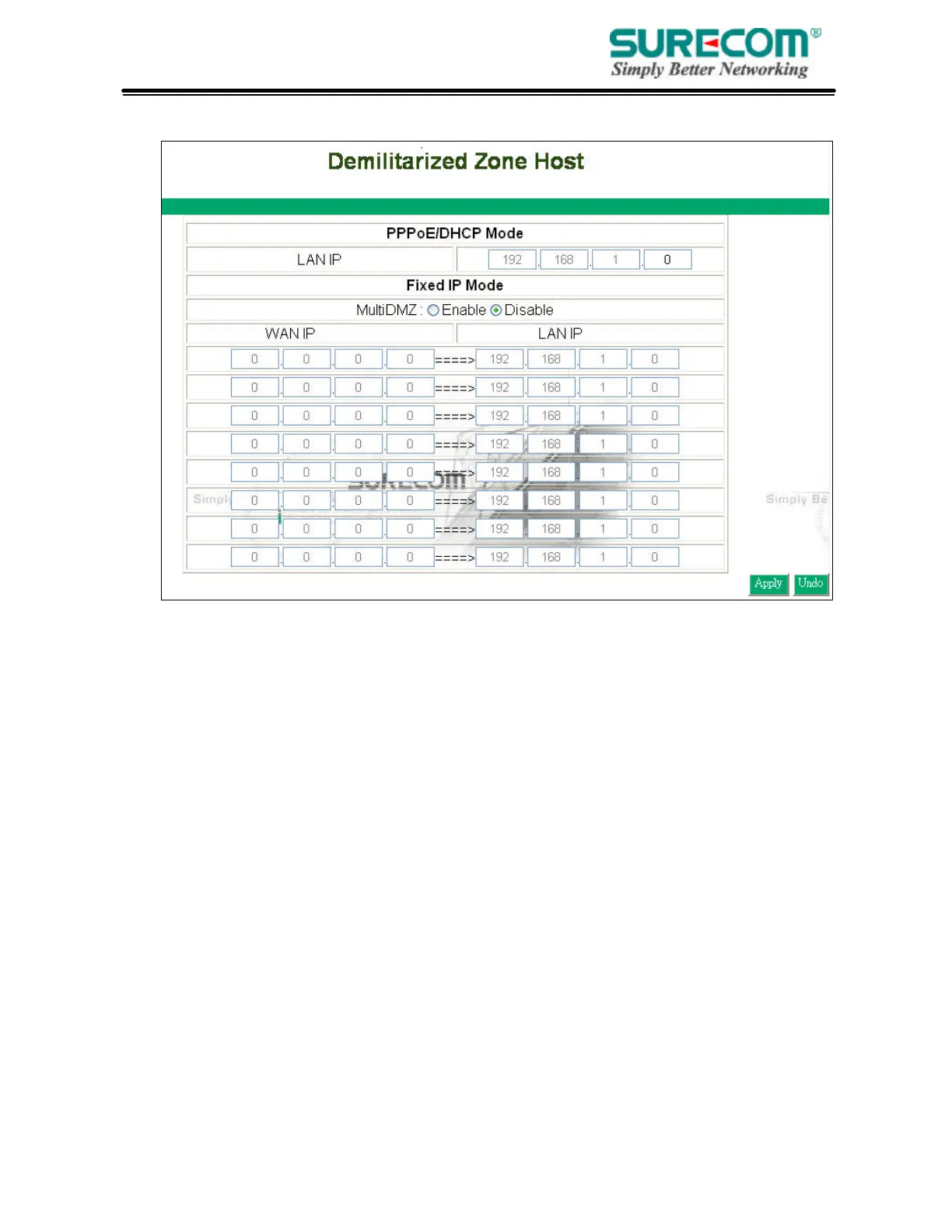
option as a last resort. Enter “0” in LAN IP Address field will disable DMZ Host.
3.6.1 PPPoE/DHCP/PPTP Mode
If your router is configured as PPPoE/DHCP/PPTP connection type to your ISP, enter the
networked computer’s IP Address to enable DMZ function.
3.6.2 Static IP (Fixed IP) Mode
If your router is configured as static IP connection type to your ISP.
• MultiDMZ: Select “Enable” to activate this function or not.
• WAN IP?LAN IP: Enter the WAN IP address and corresponding LAN IP Address.
3.7 Device Admin
You can update router’s firmware, change password of this router and set up some management
function of this router on this page.



 To Next Page