29
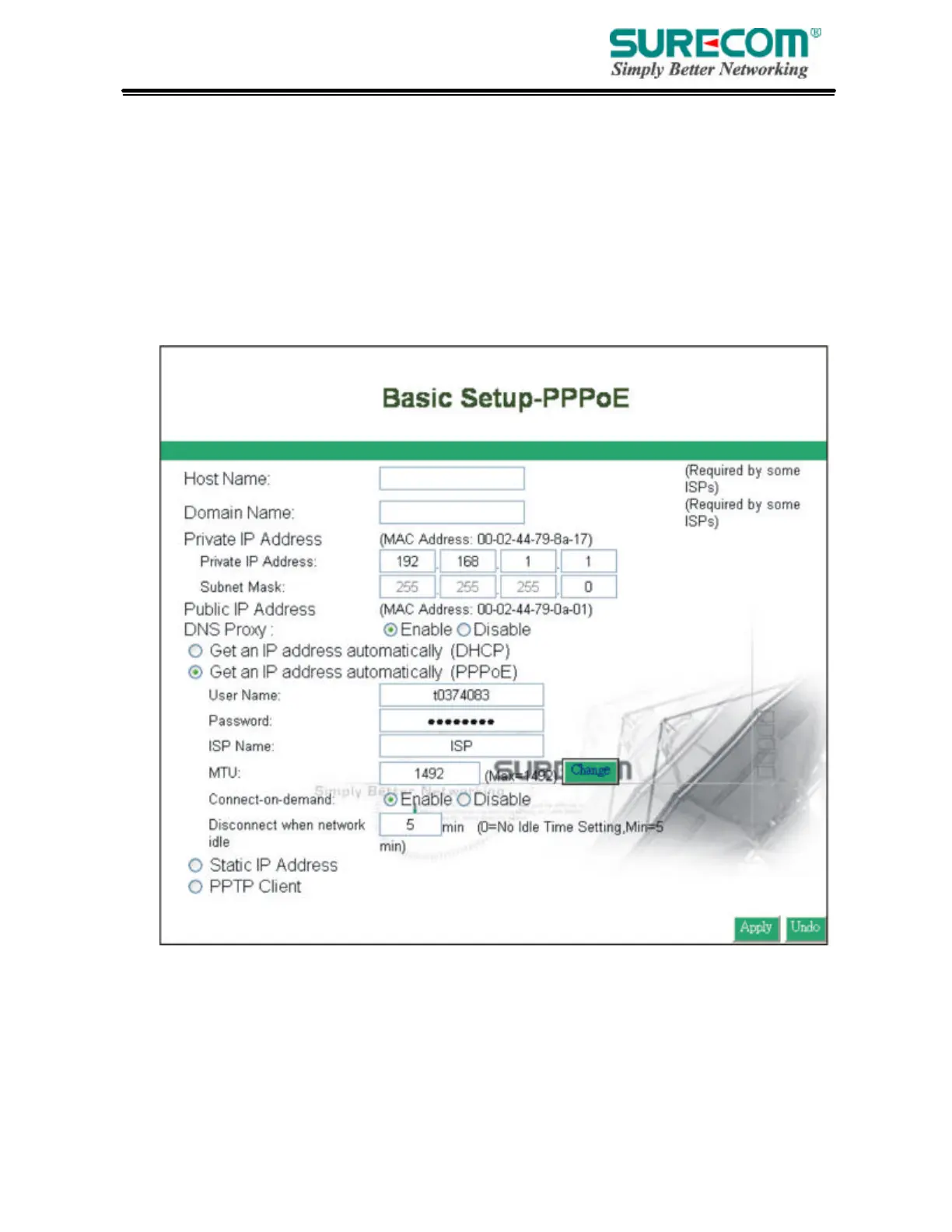
• PPPoE
User Name: Your User Name provided by your ISP.
Password: Your password provided by your ISP.
ISP Name: Your ISP name.
Connect on Demand: When you enable this function, then the router will connect to your ISP under
your command.
Disconnect when network idle: You can set the network idle time to disconnect. If you set the time “0”,
this function will be disabled.



 To Next Page