31
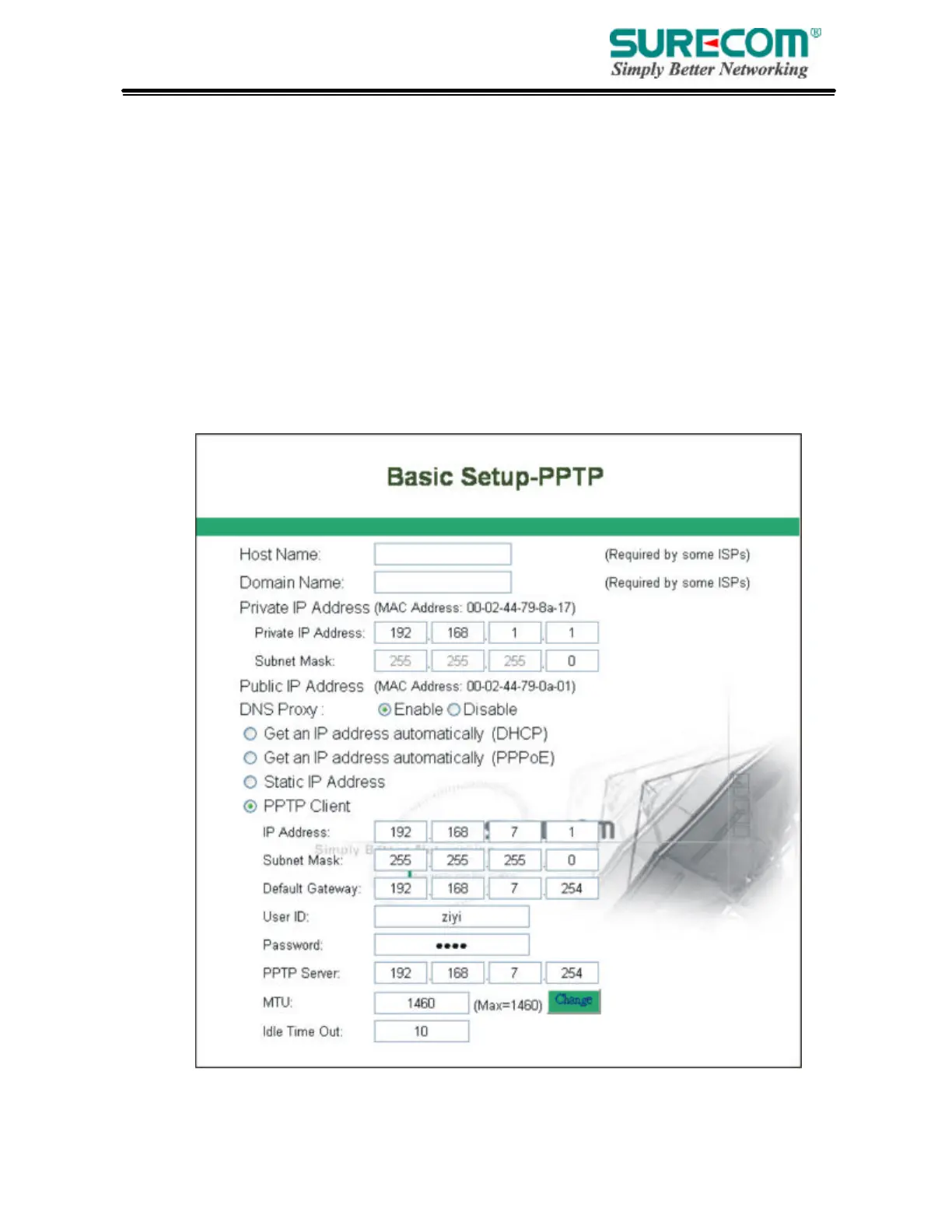
• PPTP
IP Address: Enter the IP Address provided by your ISP.
Subnet Mask: Enter the Subnet Mask provided by your ISP.
Default Gateway: Enter the Gateway IP Address provided by your ISP.
User ID: Enter the User ID provided by your ISP.
Password: Enter the Password provided by your ISP.
PPTP Server: Enter the PPTP Server Address provided by your ISP.
MTU: If you need to change the MTU value, enter the value you want to set and click “change”. We
recommend to use default value unless your ISP require you to change.
Idle Time Out: Enter a maximum idle time during which Internet connection is maintained during
inactivity. To disable this feature, enter “0”.



 To Next Page