4.1 - Preventative Maintenance
28
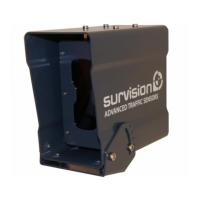
SURVISION cameras do not require any preventive maintenance other than a regular
cleaning of the camera glass.
A dirty camera glass causes a loss of contrast and a consequent drop in performance.
A dirty LEDs glass causes reduced illumination power and a consequent drop in performance.
The cleaning can be performed by the maintenance staff with the help of:
• A soft rag and some clear water or low pressure water if the glass is just dirty but not greasy.
• A soft rag and standard glass cleaning product if the glass is both dirty and greasy or has
residual stains.
Chemical products and abrasive materials should be avoided in order not to damage the
glass, which would cause a drop in performance.
The cleaning frequency depends on many factors. These factors are: direction faced,
latitude, sensor height, climate, season...
The cleaning must be carried out as soon as the camera image loses its contrast. A progressive
drop in performance can also be a signe that the glass is getting dirty. An appropriate
frequency of cleaning can be dened during the rst year of use of deployment.
As a precaution on the occasion of periodical cleaning, the maintenance staff may ensure
that:
• The xing screws are still properly tightened (in order to avoid a fall or sensor aim modication)
• The push-pull connectors are fully locked (to avoid any power or network disconnection)
• The cable gland is correctly tightened (to avoid water inltration).
4.2 - Firmware update
A rmware update may be necessary in the following circumstances:
• A bug was discovered after the delivery date
• A new function or improvement has to be implemented
• An external criteria has evolved (for example: the introduction of a new licence plate)
requiring a rmware update in order to maintain a required performance level.
The update is carried out using a software tool provided by SURVISION. Once started, the
operation consists simply in inputting the IP address of the camera to be updated and
clicking on OK.
An advance bar of the task underway appears during the update. This update can take
several minutes during which the camera is no longer operational.


 To Next Page