Operation
8.5 Data logger
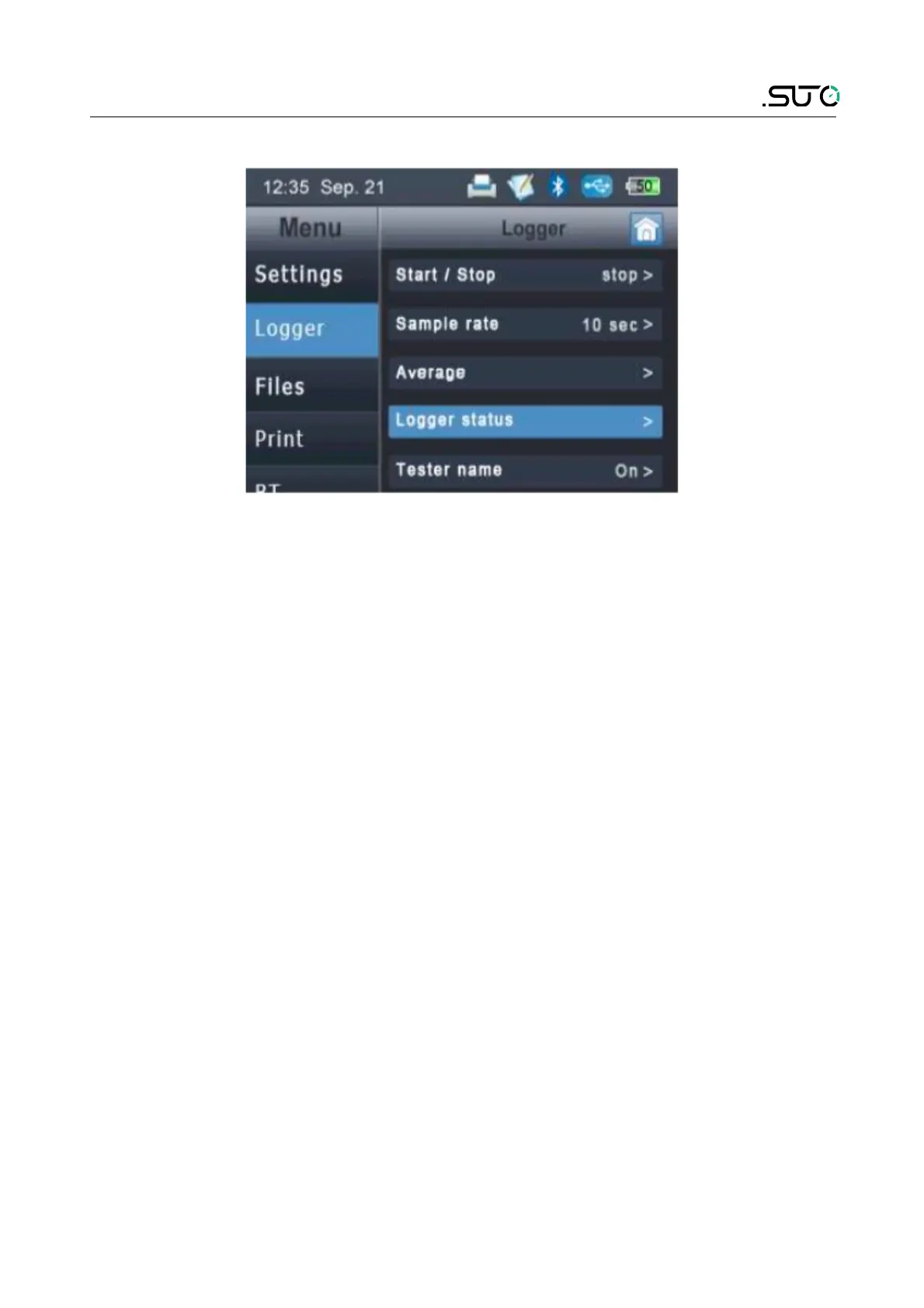
Description of the function:
Start / Stop Start and stop of the logger.
Sample rate Set the time interval the samples will be recorded. For
example 10 sec: The logger will record the measured
values every 10 seconds.
Average For greater sampling rates, you can choose to record the
average values instead of the present value.
Logger status When logger is running it shows some status information.
Tester name User input for additional information about the person
performing the measurement.
Tester name, location and company names can be entered or modified
by selecting one entry and keep it pressed for 2 seconds. A window will
pop-up where you can choose between edit, new, delete and chancel.
The S505 has two different logger functions. One is the continuous
logging with sampling rate and the other one is a single value logging,
where you just store the current values on the screen in a file. For this
purpose the “Save” button on the main screen must be used.
S505 17


 To Next Page