Application software
9 Application software
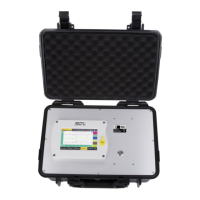
S505 is provided with two free software: S4A and S4C-Handheld. You
can download them from http://www.suto-itec.com.
9.1 S4A
S4A enables you to collect and analyze measurement data from SUTO
devices such as S505.
After downloading and installing the S4A on a computer, connect the
S505 to the computer via the USB port. :
• To detect an S505 and view its online measurement data, click the
Detect button.
• To read the S505 data files to local folders, click the Read button.
• To display the S505 measurement values recorded in the data files
in an intuitive graphical or tabular view, click the Files button.
9.2 S4C-Handheld
S4C-Handheld is the configuration software for the S505. Using the
software, you can manage data of the users, which can be assigned to
data logging files. You can manage and download the following data to
the S505 and finally print it on the portable printer:
• Location names and descriptions.
• Tester name: Identification who performed the measurement.
• Customer name and address.
• Service company name and address.
• Service company logo.
• Firmware update in S505: Please download the latest firmware
from our web page.
S505 19


 To Next Page