Sutron Corporation X-Link Operations & Maintenance Manual, Rev 1.63 5/24/2016 pg. 27
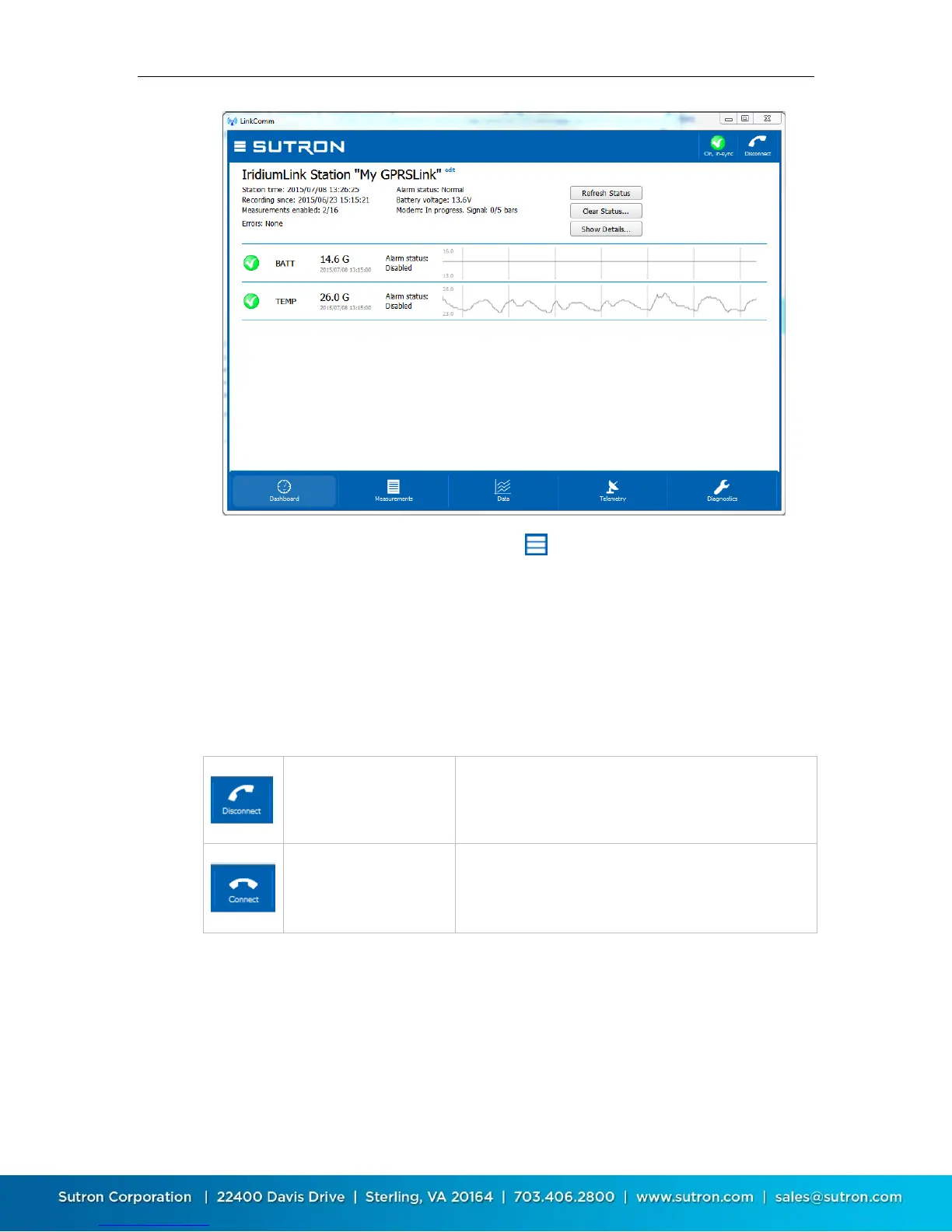
The main menu is accessed by pressing the button in the upper left. Different
tabs are selected by pressing the tab buttons at the bottom of the view. The
station view header contains two important buttons in the upper right,
described next.
4.2.1. Connect Button
The right header button is the “Connect Button”, and shows the status of the
current connection from LinkComm to X-Link. The button has two possible
states:
LinkComm is connected
to X-Link
Pressing the button in this state will cause LinkComm
to disconnect from X-Link
LinkComm is not
connected to X-Link
Pressing the button in this state will cause LinkComm
to try to connect to X-Link
4.2.2. Setup Status Button
The left header button is the “setup status button”. This button shows status
related to the setup, including whether the setup is “in-sync”, i.e., the same in
both LinkComm and X-Link, and recording status.


 To Next Page