Sutron Corporation X-Link Operations & Maintenance Manual, Rev 1.63 5/24/2016 pg. 36
4.4.2. Resetting Measurement Defaults
A measurement entry can be reset to its default values by pressing the Mx
Defaults button, which appears at the bottom of the Sensor settings section of
the measurement settings, just above the schedule settings.
When you use the Mx Defaults button to reset measurements settings, any
metadata you’ve associated with the sensor (sensor picture, Model,
Manufacturer, Description, and Units) is also reset to defaults.
4.4.3. Verifying the Measured Value
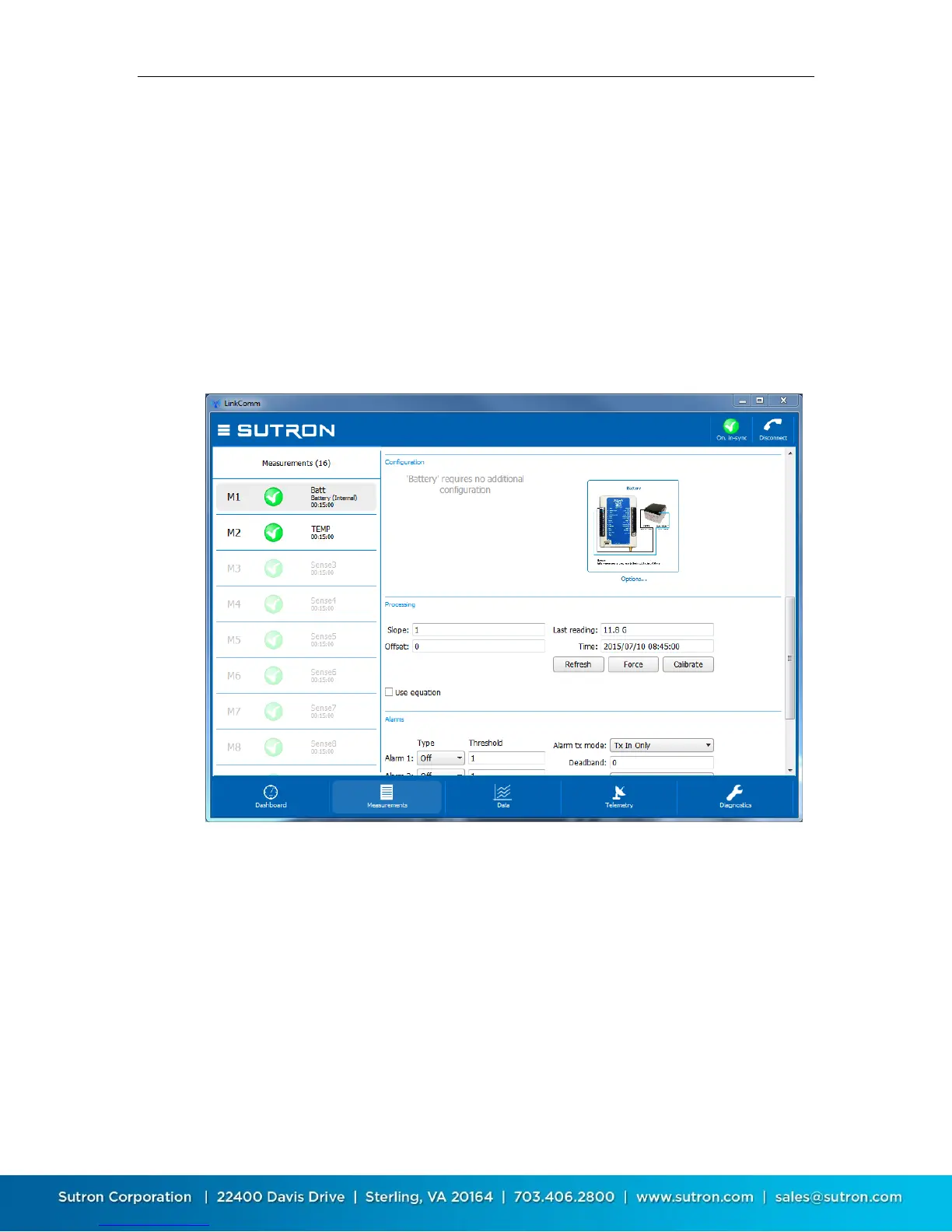
The Processing section of the measurement settings contains buttons to help
you verify the measured value is correct.
Press the Refresh button to retrieve and display the current value of the
measurement from X-Link. Press the Force button to cause X-Link to take a new
measurement. Press the Calibrate button to calibrate the sensor.
When you press the Calibrate button, LinkComm will prompt you to enter the
desired value for the measurement, showing you its current measured value as a
reference, and then compute a new Offset setting based on the value you enter.


 To Next Page