4 GETTING STARTED
Basic settings
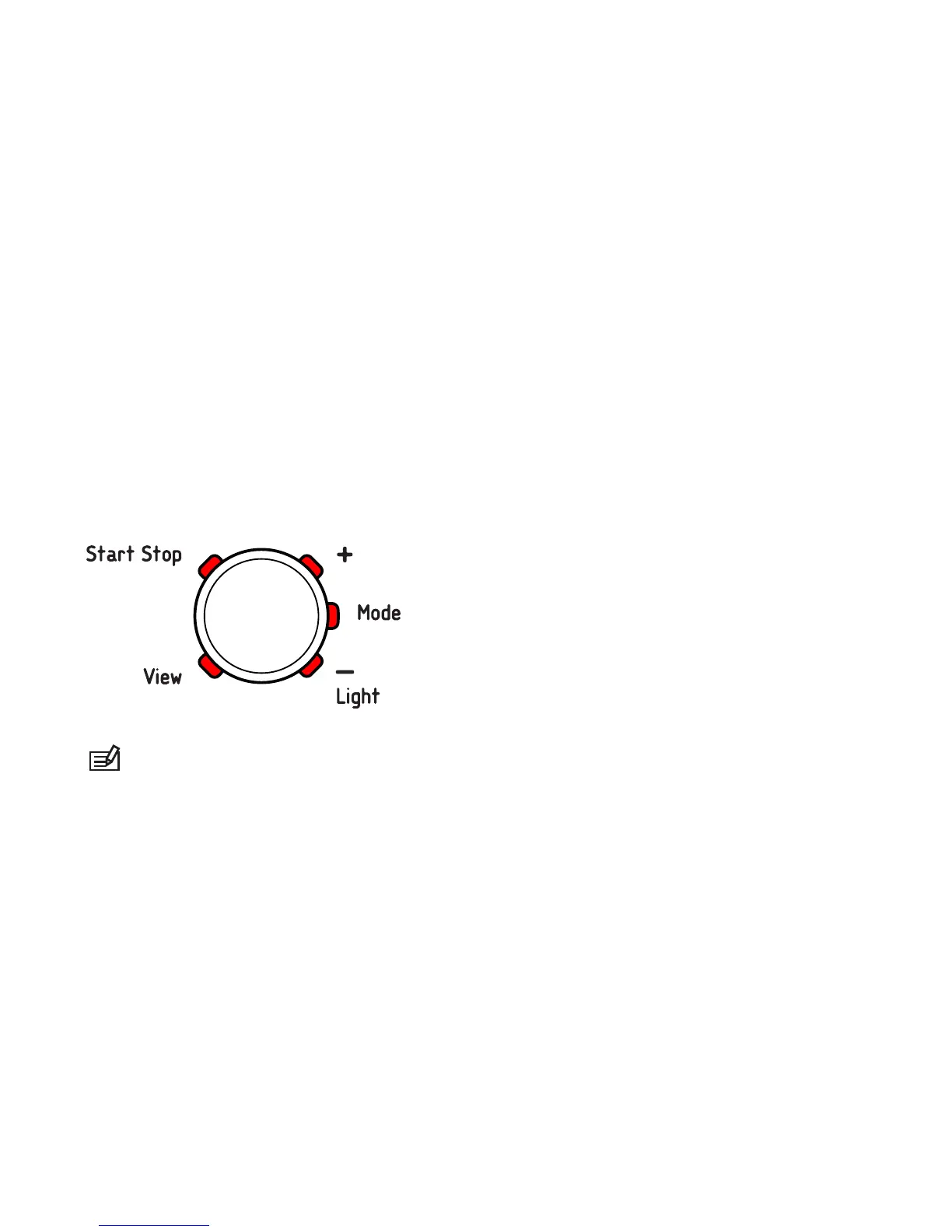
Press any button and your Suunto Essential will activate. You are
then prompted to set the language, units (imperial or metric), time
and date. Use the upper right [+] button and lower right [- Light]
button to change the settings. Accept and move to the next menu
item by pressing the right middle [Mode] button. You can always
return to the preceding menu item by pressing the lower left [View]
button. When the settings are set as you want, you can start using
the basic time features of your Suunto Essential.
NOTE: You need to set the altimeter, barometer and compass
to get correct readings. Please refer to the User Guide for detailed
information on setting these properly.
Modes
Your Suunto Essential has three modes:
TIME
,
ALTI & BARO
and
COMPASS
. These modes are explained in detail in the User Guide.
The enabled mode is indicated by a rectangle around the mode
9















 To Next Page