7 STARTING EXERCISE
After the initial settings, you can start exercising. The guided exercise program
is automatically used to guide you to the next fitness level, or to maintain an
excellent fitness level. The guided exercise program is based on your current
fitness level specified in the initial settings. For information on how to get to
the next fitness level, see Section 12.1 Exercise plan on page 25. If you want to
exercise without guidance, select the FREE exercise program in the settings,
see Chapter 13 Adjusting settings on page 27.
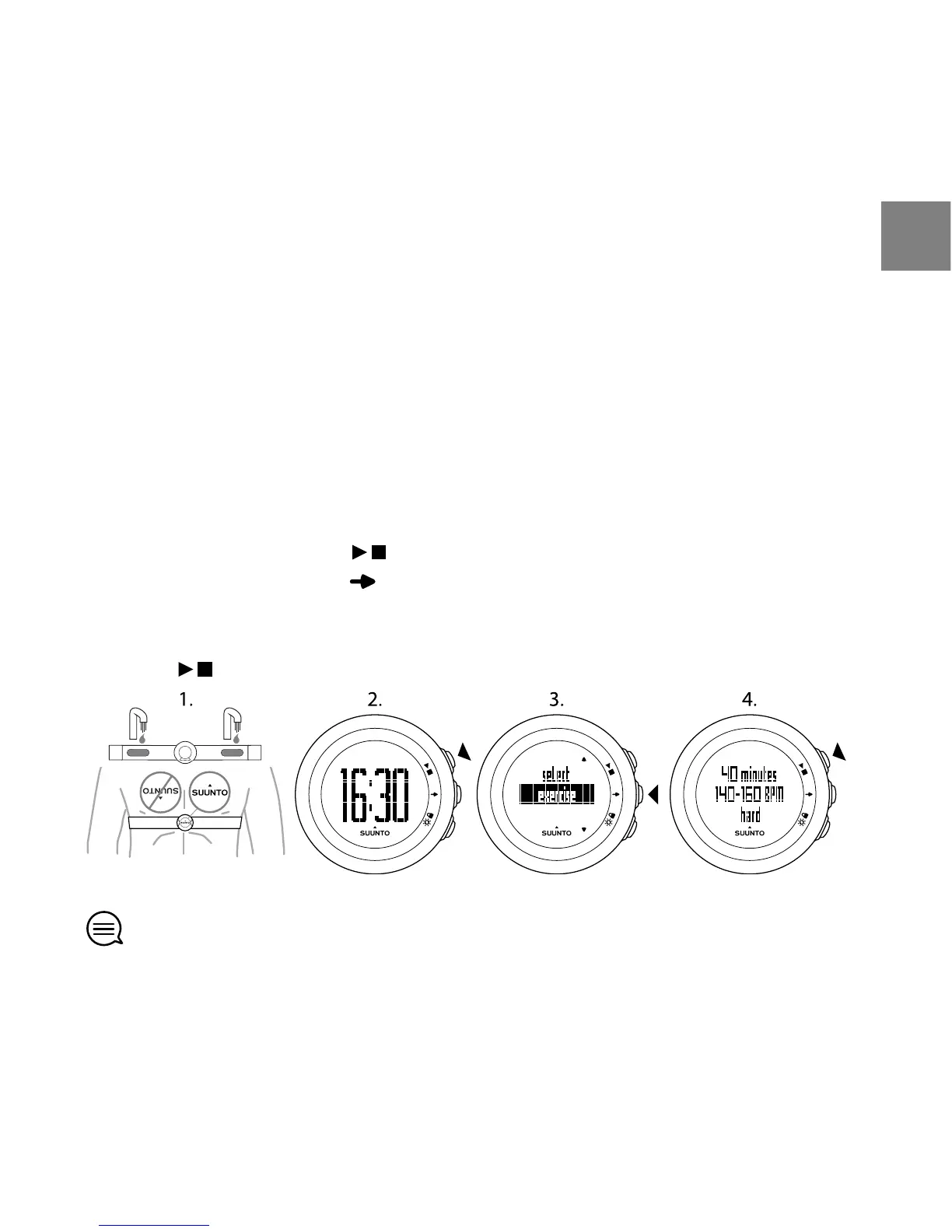
To start exercising:
1. Moisten the contact areas and put on the HR belt.
2. In the time view, press to select EXERCISE.
3. Confirm EXERCISE with .
Before the exercise begins, the device shows how long your HR should stay
within specific HR limits.
4. Press to start recording your exercise.
TIP: You can use Suunto M4 as a stopwatch without the HR belt. Without the
HR belt only the duration of the exercise is shown. After the exercise, you can
estimate the intensity level of your exercise. Based on your estimation and the
13
en



 To Next Page