Page
14
of
45
IAM03 Time Clock User Manual
Version 1.00
Figure 3-16 Open INFO File in Computer
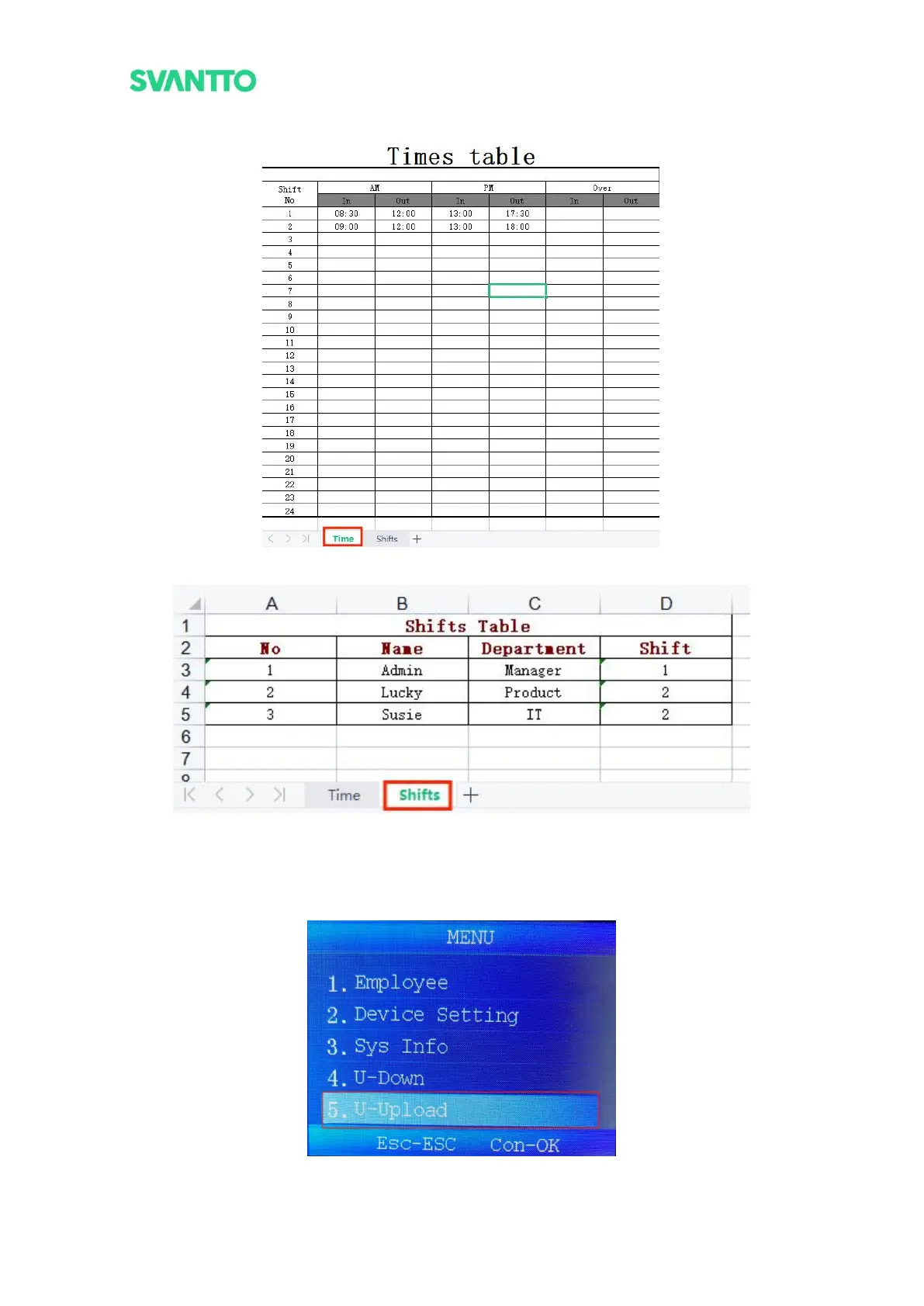
Figure 3-17 Shift Time Setting Table
Figure 3-18 User Information Setting Table
4) Unplug the USB flash driver from the computer, plug it into the attendance machine again, press
[MENU] key to enter menu interface, then select [U-Upload] and press [OK] to enter U-Upload
interface. Select [UserInfo] and press [OK] key, waiting for about 5 seconds, and the screen shows
"Upload OK!", the user information is uploaded successfully.
Figure 3-19 Select U-Upload Interface



 To Next Page