Page
25
of
45
IAM03 Time Clock User Manual
Version 1.00
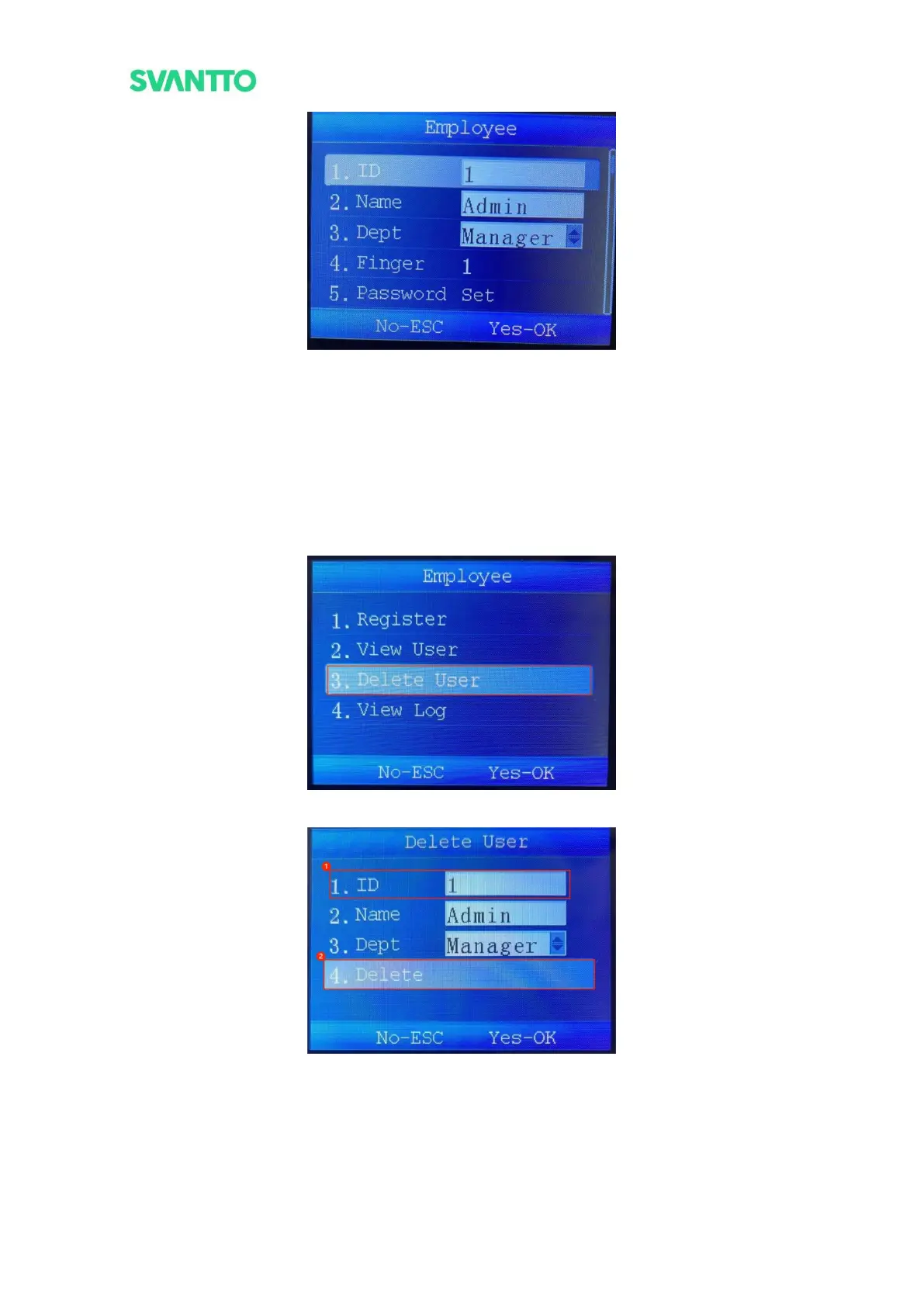
Figure 4-3 View User Information
Note: The user information can be modified in the “view user information” interface.
5.1.3.Delete User
Delete the registered users, including their registered password, fingerprint, ID card and other information.
Select [Delete User] in “Employee” interface and press [OK] key to enter “Delete User” interface, then enter the
ID of user that needs to be logged out in the ID input box. Select [delete] and press [OK] key, there will prompt
a confirm deletion notification. Press [OK] key to confirm delete the user or press [ESC] key to cancel delete the
user.
Figure 4-4 Delete User
Figure 4-5 Delete User



 To Next Page