Page
27
of
45
IAM03 Time Clock User Manual
Version 1.00
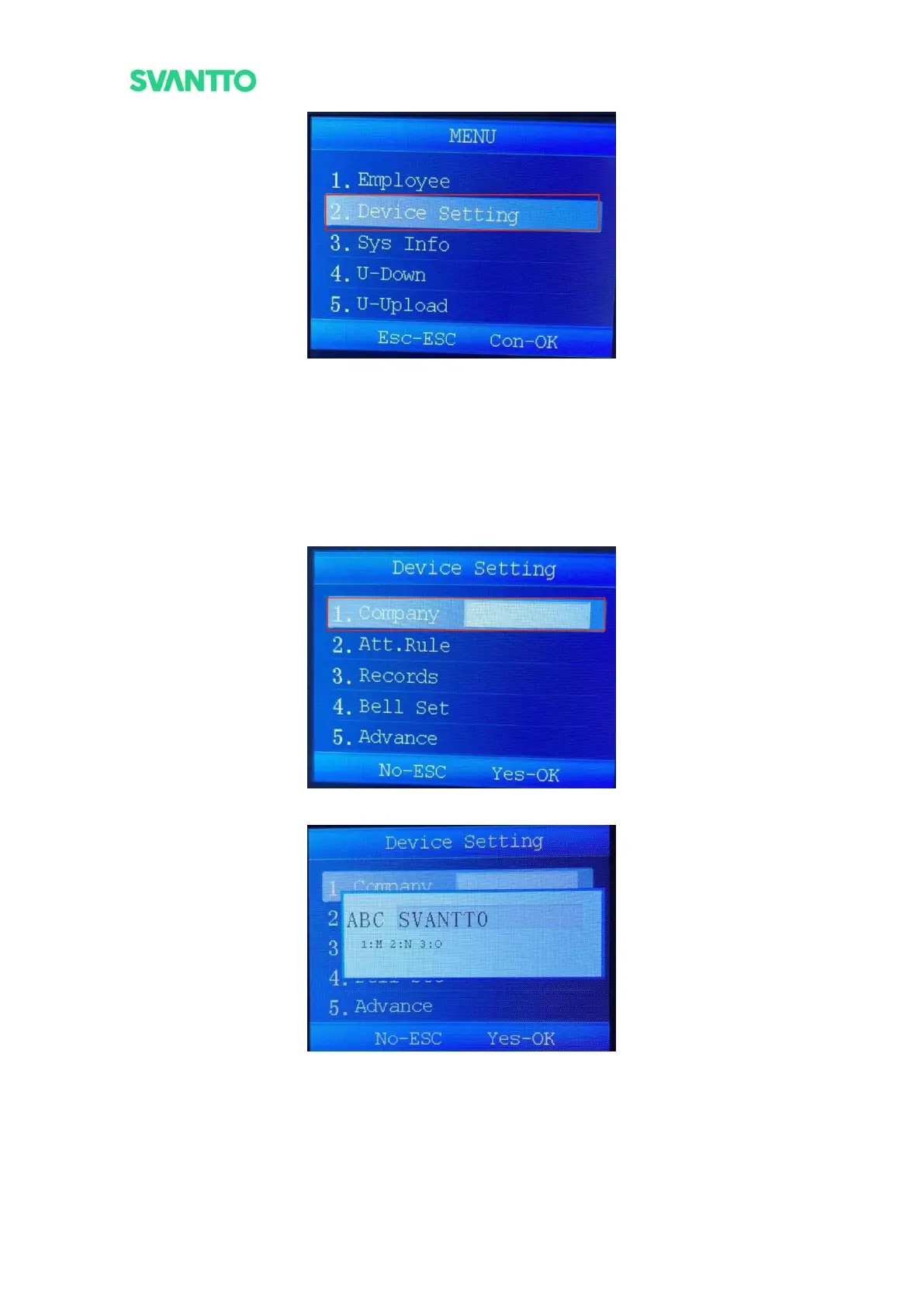
Figure 4-9 Select Device Setting Interface
5.2.1.Company
Add or modify the company name.
Select [Company] in “Device Setting” interface and press [OK] key to edit the company name in the prompt
input box (Press the [Mode] key to switch between uppercase and lowercase characters and numbers), press the
[OK] key to save after the edit complete.
Note: The longest company name that can be entered is 11 characters.
Figure 4-10 Add or Modify Company Name
Figure 4-11 Edit Company Name
5.2.2.Attendance Rule
This module includes setting departments, shifts and punching statistics rules. Select the [Att.Rule] and then
press the [OK] key to enter the “Att.Rule” interface.



 To Next Page