Page
26
of
45
IAM03 Time Clock User Manual
Version 1.00
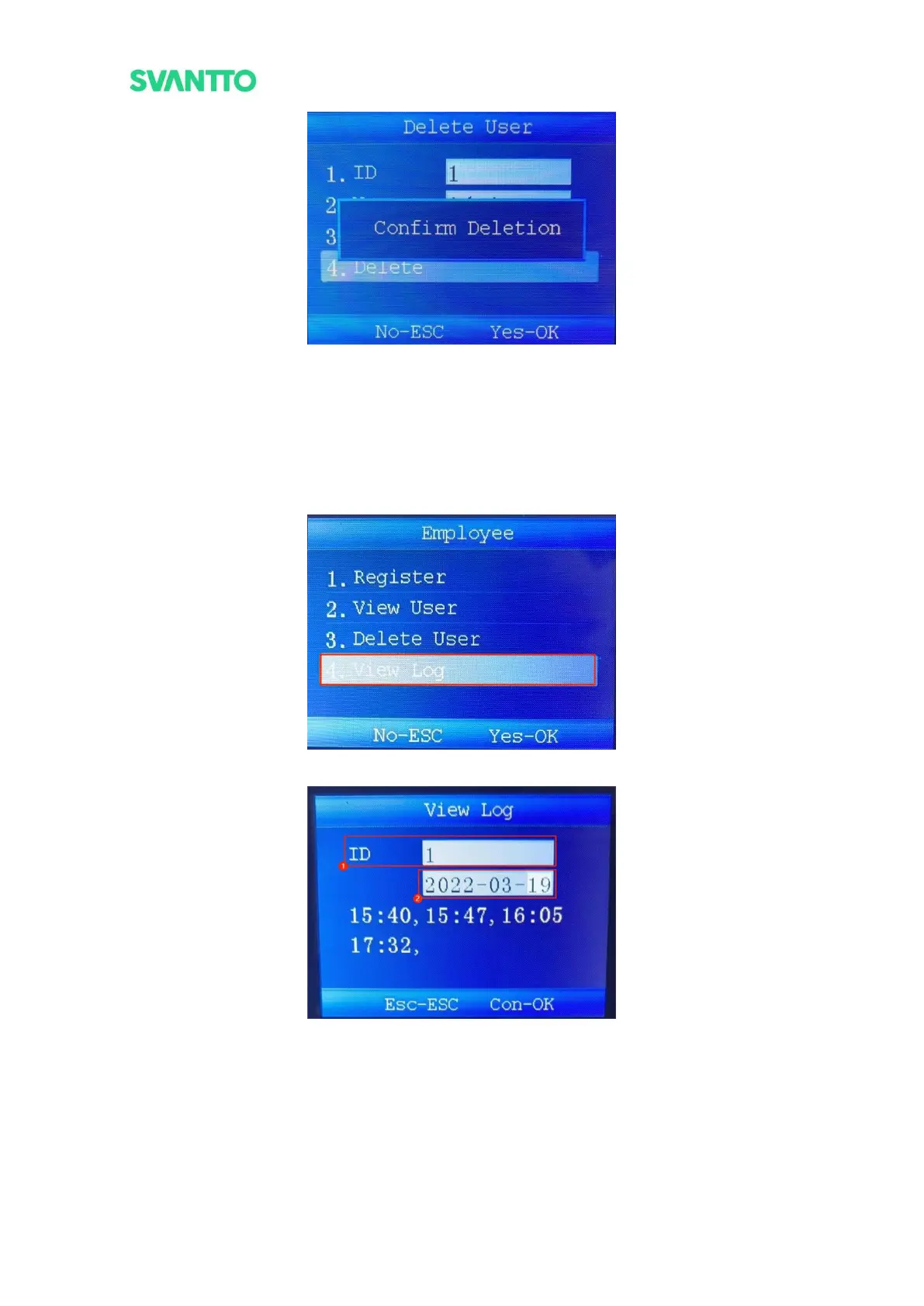
Figure 4-6 Confirm Deletion
5.1.4.View Log
View the user's punch records.
Select [View Log] in “Employee” interface and press [OK] key to enter “View Log” interface, then enter the ID
of user in the ID input box and press [OK] key to select the query date. After the date has been selected, press
[OK] key to view the punch records.
Figure 4-7 View Log
Figure 4-8 View Punch Records
5.2. Device Settings
In the menu interface, select the [Device Setting] and then press the [OK] key to enter the “Device Setting”
interface.



 To Next Page