Page
17
of
45
IAM03 Time Clock User Manual
Version 1.00
3.3.2.Set the Shift Schedule on the computer
Please refer to section 3.2.2 to set shift schedule
3.4. Punch in Attendance
Note: Before punching, please make sure the finger/password/ID card number have been saved in the machine.
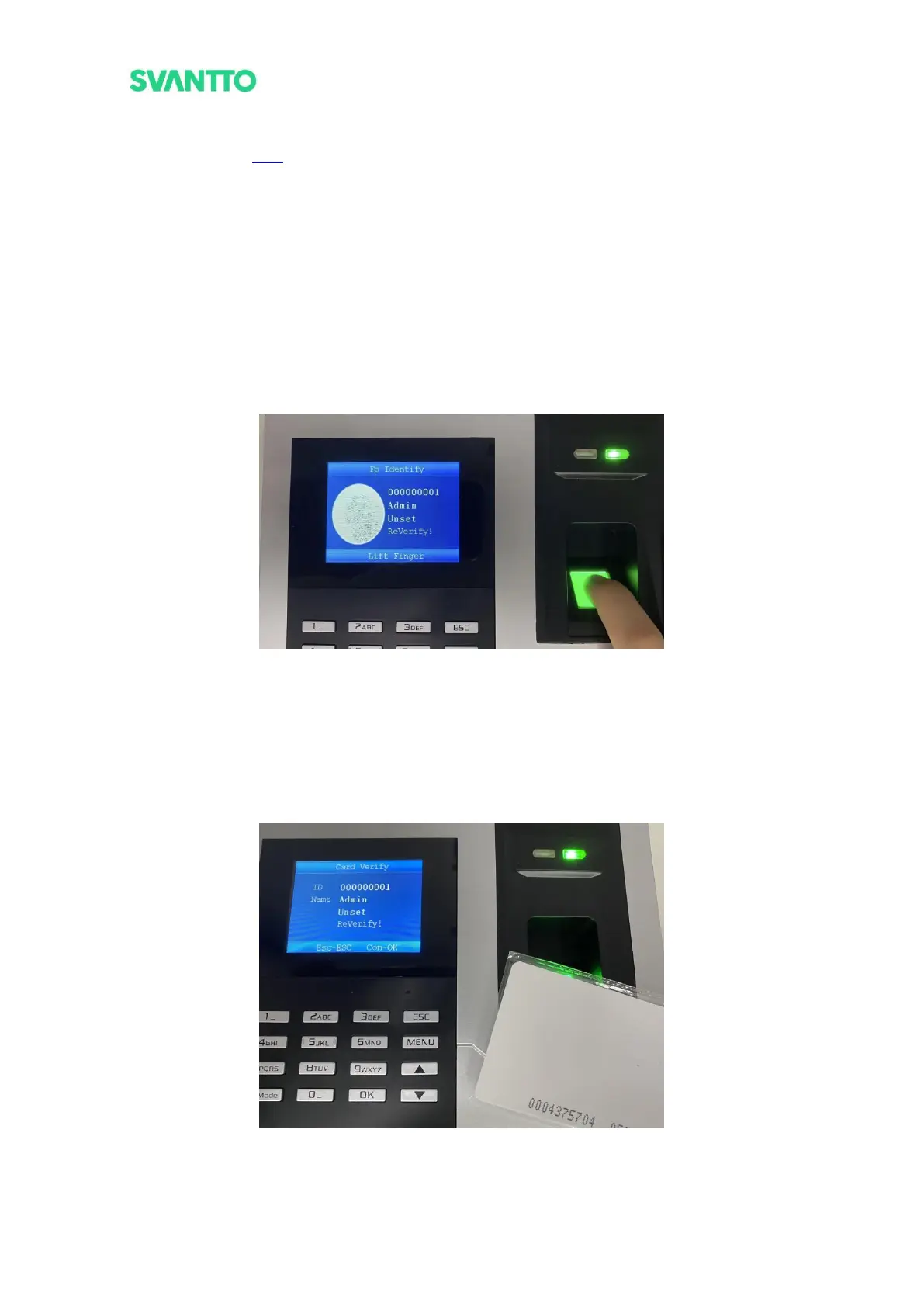
3.4.1.Punch by Fingerprint
Put your finger in the fingerprint box, the screen displays the punch-in message, and the verification LED will
display green, which indicates the punch is successful.
Note: If the prompt is wrong: (1) Please enter the [MENU]-[Employee]-[Register] interface and check whether
the user has entered the fingerprint. (2) Please check that the finger that punched in is the finger whose
fingerprint has been entered. (3) Please wipe your finger with a wet paper towel, and then punch in the
fingerprint.
Figure 3-27 Fingerprint Punch
3.4.2.Punch by ID Card
Put the ID card in the ID card detection area, the screen displays the punch-in message, and the verification LED
will display green, which indicates the punch is successful.
Note: If the prompt is wrong: (1) please enter the [User]- [View User List] interface and check whether the user
has entered the ID card. (2) Please check whether the ID card is consistent with the entered ID card.
Figure 3-28 ID Card Punch



 To Next Page